

 AlexxIT
ERROR: Cannot connect to host localhost:8033 ssl:default [Connect call failed ('127.0.0.1',8083]
All of my camera's feeds that are using the card WebRTC is displaying the following message: ERRO: Cannot connect to host localhost:8033 ssl:default [Connect call failed ('127.0.0.1',8083]
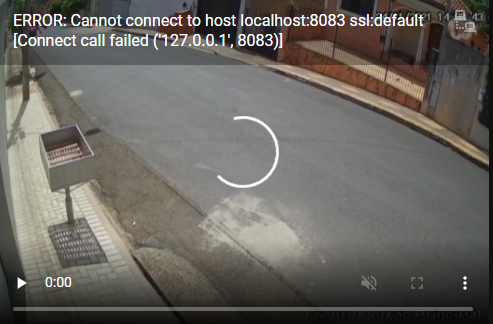
Was working fine before the recent update.
All my cameras are well configured and the same camera is working fine if I click in the entity card that follows:


I have the same issue:
I migrated my HA installation to another device. The installation type is Docker, but I switched from Ubuntu to Arch with the base OS which contains the docker - don't know if that has anything to do with it.
I don't think any recent update broke this since I upgraded HA and all the custom components before migration, and it still does work on the old installation (which I'm not running in parallel obviously, I just tested it).
I enabled debug logging for WebRTC and only thing I get out of it is on startup:
2022-01-17 22:56:07 DEBUG (webrtc) [custom_components.webrtc.utils] 2022/01/17 22:56:07 Server Start Awaiting Signal
Refreshing the page or waiting, where I have the WebRTC cameras in Lovelace, doesn't do anything for the log. It's like it doesn't try to connect at all.
If I cURL the http://localhost:8083/ in either the docker container or the base OS containing the container (the container is network_mode: host) I get a 404 error in the logs:
2022-01-18 07:28:19 DEBUG (webrtc) [custom_components.webrtc.utils] [GIN] 2022/01/18 - 07:28:19 | 404 | 4.695µs | 127.0.0.1 | GET "/"
netstat shows that the port is listening:
tcp 0 0 127.0.0.1:8083 0.0.0.0:* LISTEN
And the port also stops listening when I shutdown HA, so it's not used by anything else either.

What app is listening 8083 port? https://www.cyberciti.biz/faq/how-to-check-open-ports-in-linux-using-the-cli/

This is what it looks like for me:
sudo netstat -tulpn | grep LISTEN | grep 8083
tcp        0      0 127.0.0.1:8083          0.0.0.0:*               LISTEN      737316/rtsp2webrtc_

ps ax | grep 737316
 737316 ?        Sl     0:00 /config/rtsp2webrtc_v5_amd64 {"server":{"http_port":"localhost:8083","ice_servers":["stun:stun.l.google.com:19302"]},"streams":{}}
If I stop HA, the port doesn't show up on netstat either.
Obviously this could be some updated Arch package breaking something, so I'm going to try out HA on another machine with only the webrtc plugin. EDIT: Same error on another Arch installation. I'm going to try downgrading docker engine etc....
EDIT2: nope, that wasn't it...I downgraded the whole installation to end of September packagewise, and same issue exists. Also downgraded HA to 2021.11 and WebRTC to 2.0.1 or something like that.
I don't know how, and what happened, but suddenly my streams started working again. I just accidentally noticed that big buck bunny started streaming instead of the above error on my dashboard. I'll monitor this to see if I can find out what's happened.
I´m still having the issue. The command below returns nothing. ~ sudo netstat -tulpn | grep LISTEN | grep 8083 ~
I´ve enabled the log for the webrtc and is displaying only the following message: 2022-02-12 13:48:01 DEBUG (webrtc) [custom_components.webrtc.utils] 2022/02/12 13:48:01 Server Start Awaiting Signal
It seams that something is not starting. Is there any other debug flag that I can enable?
I´m using the following to get this log message: logger: default: warning logs: custom_components.webrtc: debug
Just to complement, I was able to install and use the hassio addon RTSP2WebRTC without any issue, so there is no issue related to the port 8083.

yes, replace localhost in utils.py and init.py with 127.0.0.1 or disable ipv6

yes, replace localhost in utils.py and init.py with 127.0.0.1 or disable ipv6
Is it a solution?Can you describe more indetail?Like change utils.py&init.py which line to what?
AlexxIT/WebRTC listens only on ipv4 localhost, so if ipv6 is enabled and localhost resolves to the ipv6 loopback address ::1 you get this error. als already told you have to either disable ipv6 or replace all occurrences of localhost with 127.0.0.1
Check my new project. Maybe it handle this situation https://github.com/AlexxIT/go2rtc