

 AleoNet
[Bug] GPU mining with GPU usage at 0%
🐛 Bug Report
I'm trying to start a GPU miner, but GPU usage stays at 0%
- CPU : AMD Ryzen 9 5950X 16-Core Processor
- GPU: NVIDIA RTX A5000
Steps to Reproduce
- I edited run-miner.sh file
1.1.
COMMAND="cargo run --features=cuda --release -- --miner ${MINER_ADDRESS} --trial --verbosity 2"1.2.#git stash - Then started
./run-miner
Expected Behavior
I expect to mine with my GPU, while its usage stays at 0% (see attached files)
Your Environment
- snarkos 2.0.0 (testnet2)
- rustup 1.24.3 (ce5817a94 2021-05-31)
info: This is the version for the rustup toolchain manager, not the rustc compiler.
info: The currently active
rustcversion isrustc 1.58.0 (02072b482 2022-01-11) - Ubuntu 20.04.3 LTS

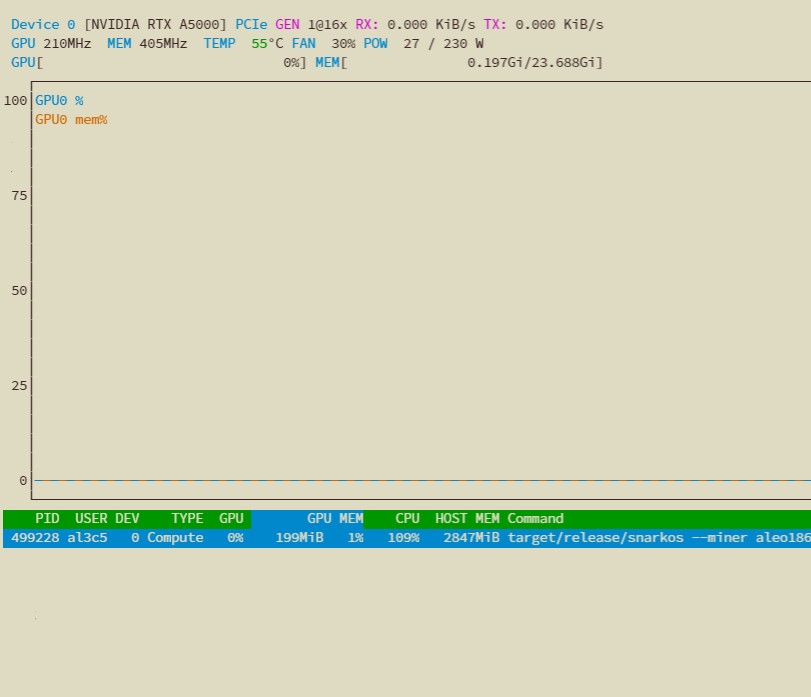
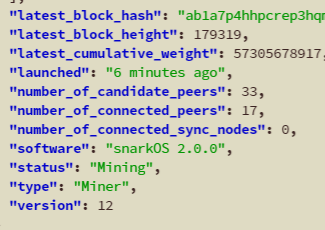

Just to be sure, you're using
nvtopto check the GPU utilization, correct?
I do

nvidia-smi
Mon Jan 17 17:23:01 2022
+-----------------------------------------------------------------------------+
| NVIDIA-SMI 465.19.01 Driver Version: 465.19.01 CUDA Version: 11.3 |
|-------------------------------+----------------------+----------------------+
| GPU Name Persistence-M| Bus-Id Disp.A | Volatile Uncorr. ECC |
| Fan Temp Perf Pwr:Usage/Cap| Memory-Usage | GPU-Util Compute M. |
| | | MIG M. |
|===============================+======================+======================|
| 0 NVIDIA RTX A5000 Off | 00000000:2D:00.0 Off | Off |
| 30% 50C P8 8W / 230W | 201MiB / 24256MiB | 0% Default |
| | | N/A |
+-------------------------------+----------------------+----------------------+
+-----------------------------------------------------------------------------+ | Processes: | | GPU GI CI PID Type Process name GPU Memory | | ID ID Usage | |=============================================================================| | 0 N/A N/A 518294 C target/release/snarkos 199MiB | +-----------------------------------------------------------------------------+
This seems to be the same I experienced and reported on #1555
In this case the node is Mining, though.
I have similar issue. It seems that there's no gpu utilization. but, node is mining status as a prover. In my case, I built snarkos with below command.
cargo build --features=cuda --release
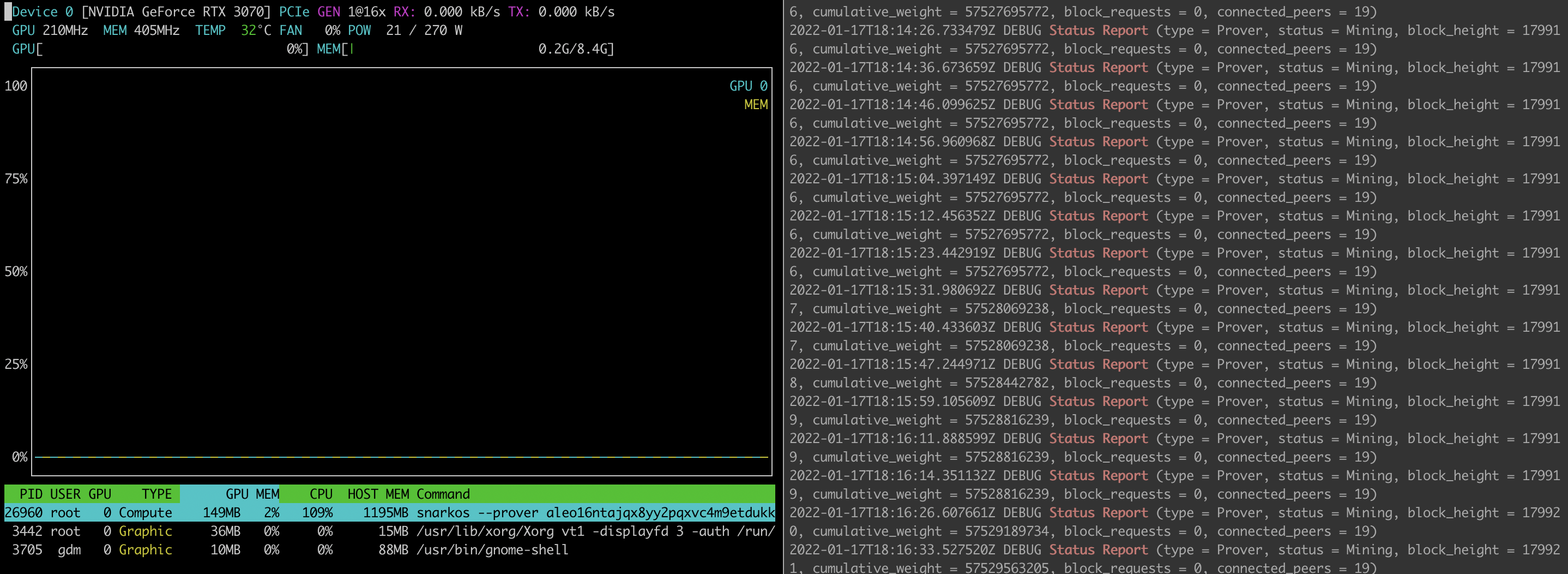

running as a Miner here
2022-01-15T13:13:11.418400Z DEBUG Status Report (type = Miner, status = Mining, block_height = 170332, cumulative_weight = 53968159871, block_requests = 0, connected_peers = 20)
I have similar issue. It seems that there's no gpu utilization. but, node is mining status as a prover. In my case, I built snarkos with below command.
cargo build --features=cuda --release
you can see the snarkos in the nvtop, please run nvtop -d 1 you will see the GPU usage

nvidia-smiMon Jan 17 17:23:01 2022 +-----------------------------------------------------------------------------+ | NVIDIA-SMI 465.19.01 Driver Version: 465.19.01 CUDA Version: 11.3 | |-------------------------------+----------------------+----------------------+ | GPU Name Persistence-M| Bus-Id Disp.A | Volatile Uncorr. ECC | | Fan Temp Perf Pwr:Usage/Cap| Memory-Usage | GPU-Util Compute M. | | | | MIG M. | |===============================+======================+======================| | 0 NVIDIA RTX A5000 Off | 00000000:2D:00.0 Off | Off | | 30% 50C P8 8W / 230W | 201MiB / 24256MiB | 0% Default | | | | N/A | +-------------------------------+----------------------+----------------------++-----------------------------------------------------------------------------+ | Processes: | | GPU GI CI PID Type Process name GPU Memory | | ID ID Usage | |=============================================================================| | 0 N/A N/A 518294 C target/release/snarkos 199MiB | +-----------------------------------------------------------------------------+
maybe you can try the test case to check whether your GPU driver workable for snarkOS https://github.com/AleoHQ/snarkVM/blob/c19be414fd5d17fbff262c25626ae1454f280bb0/algorithms/src/msm/variable_base/build_guide.md
I've got GPU usage correctly after updated snarkos to the latest version.
However, the posw performance did not improve significantly even with the GPU implementation. Is it known issue? or any other problem I have?
# cargo bench --bench posw --features "snarkvm-algorithms/cuda"
    Finished bench [optimized] target(s) in 0.08s
     Running unittests (/root/.cargo/git/checkouts/snarkvm-f1160780ffe17de8/48c59e9/target/release/deps/posw-bc71c0ecf9e7f077)
WARNING: HTML report generation will become a non-default optional feature in Criterion.rs 0.4.0.
This feature is being moved to cargo-criterion (https://github.com/bheisler/cargo-criterion) and will be optional in a future version of Criterion.rs. To silence this warning, either switch to cargo-criterion or enable the 'html_reports' feature in your Cargo.toml.

Gnuplot not found, using plotters backend
Benchmarking Proof of Succinct Work: Marlin/mine: Warming up for 3.0000 s
Using 'NVIDIA GeForce RTX 3070' as CUDA device with 8367439872 bytes of memory

Warning: Unable to complete 10 samples in 5.0s. You may wish to increase target time to 23.4s.
Benchmarking Proof of Succinct Work: Marlin/mine: Collecting 10 samples in estimated 23.443 s (10 iterati                                                                                                         Proof of Succinct Work: Marlin/mine
                        time:   [2.2476 s 2.3959 s 2.5632 s]
                        change: [-1.1148% +7.6056% +17.096%] (p = 0.13 > 0.05)
                        No change in performance detected.
Benchmarking Proof of Succinct Work: Marlin/verify: Collecting 10 samples in estimated 6.3978 s (165 iter                                                                                                         Proof of Succinct Work: Marlin/verify
                        time:   [37.654 ms 38.481 ms 39.476 ms]
                        change: [+0.7625% +3.2902% +5.7380%] (p = 0.03 < 0.05)
                        Change within noise threshold.
# cargo bench --bench posw
    Finished bench [optimized] target(s) in 0.08s
     Running unittests (/root/.cargo/git/checkouts/snarkvm-f1160780ffe17de8/48c59e9/target/release/deps/posw-38e8ab5bdcbc448d)
WARNING: HTML report generation will become a non-default optional feature in Criterion.rs 0.4.0.
This feature is being moved to cargo-criterion (https://github.com/bheisler/cargo-criterion) and will be optional in a future version of Criterion.rs. To silence this warning, either switch to cargo-criterion or enable the 'html_reports' feature in your Cargo.toml.

Gnuplot not found, using plotters backend
Benchmarking Proof of Succinct Work: Marlin/mine: Warming up for 3.0000 s
Warning: Unable to complete 10 samples in 5.0s. You may wish to increase target time to 22.1s.
Benchmarking Proof of Succinct Work: Marlin/mine: Collecting 10 samples in estimated 22.140 s (10 iterati                                                                                                         Proof of Succinct Work: Marlin/mine
                        time:   [2.1638 s 2.2414 s 2.3395 s]
                        change: [-13.358% -6.4493% +0.7903%] (p = 0.13 > 0.05)
                        No change in performance detected.
Found 1 outliers among 10 measurements (10.00%)
  1 (10.00%) high mild
Benchmarking Proof of Succinct Work: Marlin/verify: Collecting 10 samples in estimated 6.3357 s (165 iter                                                                                                         Proof of Succinct Work: Marlin/verify
                        time:   [37.607 ms 38.592 ms 40.012 ms]
                        change: [-2.9309% -0.4835% +2.7551%] (p = 0.73 > 0.05)
                        No change in performance detected.
Found 2 outliers among 10 measurements (20.00%)
  2 (20.00%) high severe

AMD graphics cards are currently not supported, you have to check if it is an NV card.ALEO's support for graphics cards is not perfect, and the GPU performance will not be known until testnet3 starts. The principle of aleo integration only works with PK GPU, you have to come up with some solutions