

 AdguardTeam
Conflict with Proxifier
Expected behavior
Can be used simultaneously with Proxifier.
Actual behavior
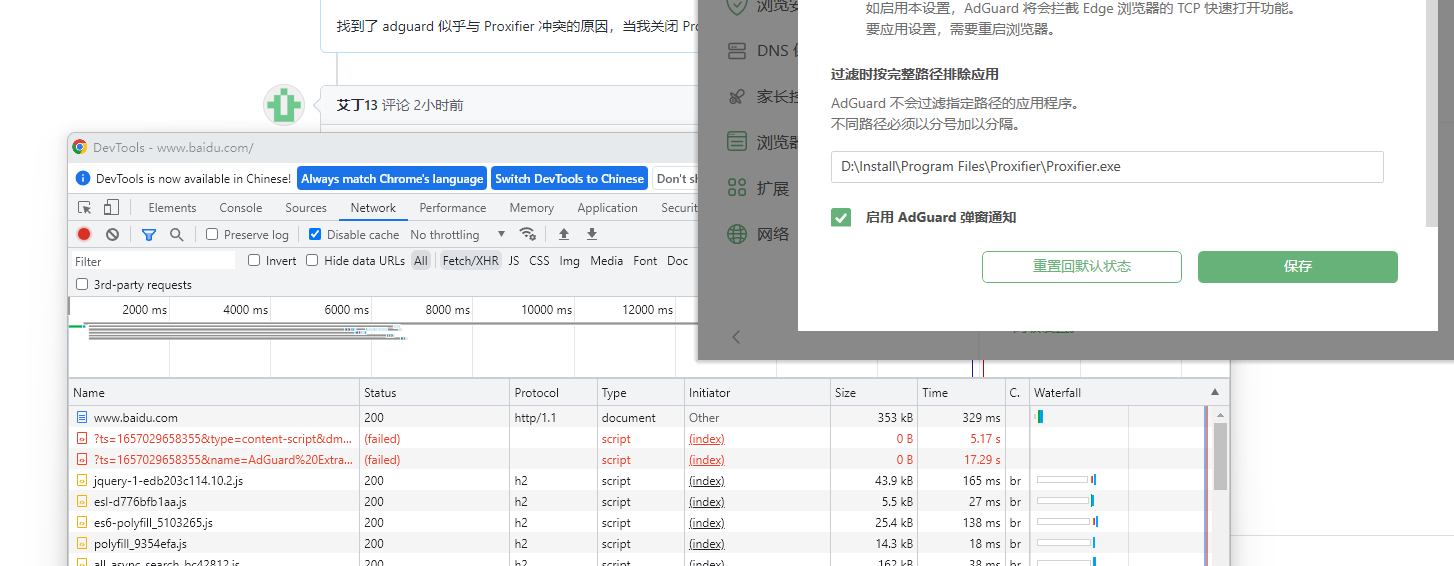
If Proxifier is turned on, It will takes a long time to open a webpage (about 8-30 seconds )
Screenshot:
Customer ID
616849
Your environment
- Environment name and version: Chrome 103.0.5060.66
- Operating system and version: Windows 11, v.21H2, build 22000.739

It was tested that the domain name local.adguard.org blocked the network.


Found the reason adguard seems to conflict with Proxifier, when I close Proxifier everything works fine. How to solve this problem please?
@Carlos920 Have you tried to add Proxifier to AdGuard's exclusions? (Settings - Advanced settings - Add an app by its full path)

@Carlos920您是否尝试将 Proxifier 添加到 AdGuard 的排除项中?(设置 - 高级设置 - 通过完整路径添加应用程序)
it dosn't work
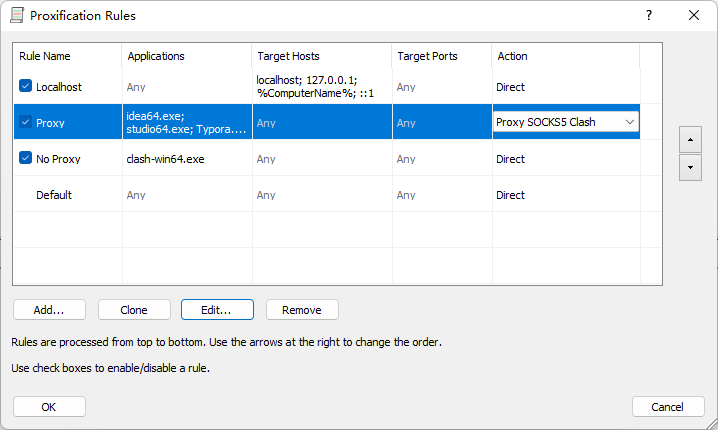
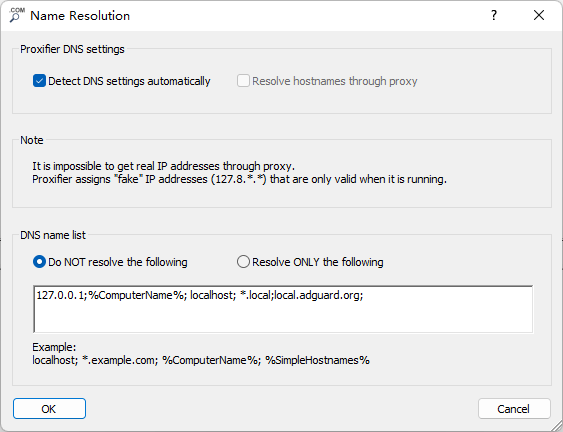
Will problem remain if you use another proxy server/port/type? I can't reproduce it on my side.
Will problem remain if you use another proxy server/port/type? I can't reproduce it on my side. When I check this option, local.adguard.org works normally; I don't know why
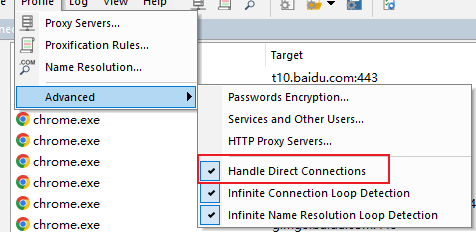
Same issue for me: with Adguard for Windows installed chrome fails to load local.adguard.org which blocks page loading. I use only localhost socks5 proxy (listened by AdguardVPN btw ;))
Rules are: localhost - direct (built-in rule) per application by name - through proxy (my rules) default - direct (built-in rule)
Name resolution: everything is unticked and gray.
Switching to "redirect mode" for Adguard does not help. Chrome exclusion from filtering helps, obviously, but why do I need Adguard app then. :D

Will problem remain if you use another proxy server/port/type? I can't reproduce it on my side.
It should have nothing to do with the VPN software I use, even if I close the problem of CLASH still exist.
@Carlos920 I set up the same configuration, and everything works for me. I'm just not sure about the "Clash" designation in Proxy, I don't have it. I just have Proxy SOCKS5 configured. What is "Clash"?

@Carlos920 I set up the same configuration, and everything works for me. I'm just not sure about the "Clash" designation in Proxy, I don't have it. I just have Proxy SOCKS5 configured. What is "Clash"?
This is clash https://github.com/Fndroid/clash_for_windows_pkg
@Carlos920 what kind of Proxy are you using? I think that's it. It works for me.
@Carlos920 what kind of Proxy are you using? I think that's it. It works for me.
socks5 and i use the mixed port
@Carlos920 have you tried changing the server client?
Which is the server client? Clash?
@Carlos920 server DNS
This domain name resolves correctly on my dns, I also tried adding it to the software whitelist but it doesn't work