

 ActivityWatch
macOS Catalina complains repeatedly about an unverified developer


I've got stuck with this as well. I'm pretty new to macOS and looking for a good replacement from manictimer which I used on Windows.
I went through all of the executables in the main folder and all the dyn libs; by going to the context menu, clicking open, and open on the dialog to bypass gatekeeper.
But after that it complained about ./PyQt5/QtCore.so not being verified, which can't be done via the open method above.
I've tried to do it via the terminal instead, using spctl --add /Path/To/Application.app and I did it by dragging the file onto terminal to ensure that the path was correct.
It asked for my password which I supplied via touchid, but it didn't make any difference the next time I tried to run aw-qt.
I'm stuck!

I had/have it running on Catalina but the dialogs I got were a bit different:
- start
./aw-qt - It'll show a dialog saying something like "Sorry, no signature, I won't run this at all, move to bin" (there was no Open button, or it was greyed out)
- After you get this go in "System Preferences / Security & Privacy / General": you'll see text close to the bottom of the window mentioning the offending file and a button to allow execution 2a) The first time only, before clicking the allow button, CLICK THE ICON TO BECOME ADMIN and type your password. If you don't the button will click, but it won't have any effect nor show any error (because Apple UX testing is sooo gooood :-p )
- Click the "Allow" button in the Security & Privacy window. Keep its window open.
- Your only option now is to cancel the existing error dialog then run again
./aw-qt - This time around you'll get a dialog with a clickable "Open" button. Click it. After you click, you'll get another error dialog for a new binary with the only option to cancel or move to bin, just the same as in point 1). Press Cancel.
- go back to 2) and repeat until you don't get any dialogs and it'll work. For me that was about 50 times...
If instead you're getting dialogs with an active "Open" button, I'd expect that you'll get around 50 of them (each asking for a different file) then aw-qt will start.
I do think that install everything in a user-created virtual environment should avoid all these problems, at least until Apple makes impossible to compile your own Python and/or use pyenv. At that point I'll be time for me to start again using a different OS.

Maybe it would be better to run the server in docker?
Next, it would be nice to pack the monitoring script differently (to use system libraries). But I do not know if this is possible and if the maintainer is willing to do it.
I am willing to help, but I have to examine the project and why is it distributed like this.
@tivvit Running the server in docker would eat up a lot of RAM and make the installation more complicated, if someone wants to do it themselves that's fine but having it as the recommended way to run ActivityWatch is out of the question. It's not even technically possible to run aw-qt or the watchers inside docker. Docker is not made for user applications and is a bad fit unless you only want to host aw-server.
It is not possible to use system libraries because we use python and qt. The built-in python version in macOS is over a decade old and qt is not available.
There are improvements to the packaging of ActivityWatch for macOS to make it into an app bundle, go to the aw-qt to see the progress on that. Not sure if it solves any of these permission issues though.

We have a .app bundle almost ready here: https://github.com/ActivityWatch/activitywatch/pull/327
I also recently got an old MBP 2010 but I don't have Catalina running on it. However, the moment we have the PR merged I can give you a download to test out. If that's not enough, I will investigate registering with Apple to properly sign the .app.

Just today (while fighting with Logitech's device manager app that apparently forgets to tell you to give Input Monitoring permissions) I noticed that in Security & Privacy under Privacy there's a Developer Tools entry (on my Mac containing only Terminal) that apparently "Allows the apps below to run software locally that does not meet the system's policy". That said, I can't wait for the offical .app, thanks @xylix :-D
@tivvit @rtpHarry @RobertoMaurizzi
Update: I have now updated my macOS to Catalina and (at least) the newest master works as expected after code signing with a self-made certificate. If you want to sign yourself, these instructions should be enough, expect change the codesign arguments to:
codesign --deep -s "your new cert" /Applications/ActivityWatch.app
If anyone is interested you can try my self signed version from here. It is not an official build, but I will help you debug macOS specific issues with this build or any self-built version, so we can get ActivityWatch on macOS working as smooth as possible :).
I'm working on getting the code signing to work in our CI, but it will take some time.

I tried the self-signed version on your Google drive but that didn't work:
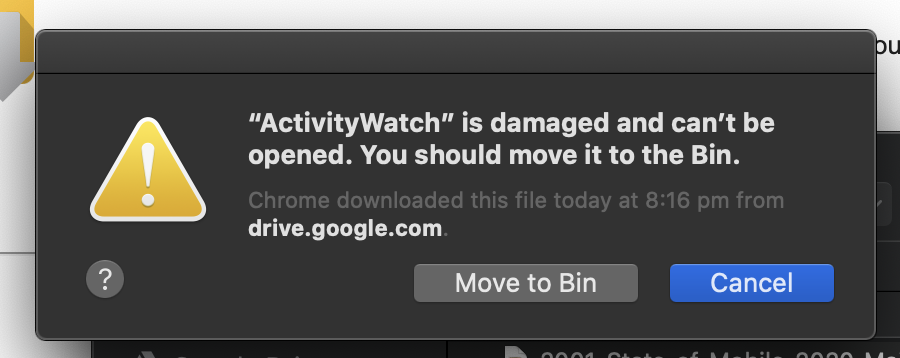
Will investigate the other option.
Sorry about the problems, but progress is being made. The problem with the .zip was my zipping tools messing up some metadata which made the signature invalid.
@rtpHarry A new signed dmg is here https://drive.google.com/open?id=1KPNPIND8jGFVq21fAoV7KICLadP3Nwg- .
Try it out if you can. CI support is still in progress.
Aww yissss! :) It has installed and opened. It seems to be collecting data. I've given it the permissions it wants. I'll report back after a few days usage.
We'll be releasing an official 0.9 very soon with a signed dmg. Thanks to everyone who helped me test the catalina signed versions :)
Have any of you running the .app had issues with window titles not being recorded? (issue #376)

is it possible to get this build to auto start on load? I can't find a setting or anything in the properties of the .app
oops brain is not working, didn't google it first (https://www.idownloadblog.com/2015/03/24/apps-launch-system-startup-mac/)
I’m not a user of this software, but this is being submitted to Homebrew Cask and I was interested in the self-signing approach.
Self-signed certificates are not meant to be accepted by Gatekeeper, and sure enough this still doesn’t seem to fix the issue in the top post.
I’ve tried both the DMG on the 0.9.0 release and the one on Google Drive on a clean VM. They still report this as being from an unidentified developer and behave like any unsigned download.

@vitorgalvao Yes the .dmg needs the user to manually "open anyway" through the security menu. After that there should be no more popups on future openings of the application, which is the best result we could get through self signing.
which is the best result we could get through self signing.
Which is the same result you get from an app that isn’t signed. That’s the point I was making: self-signing does nothing in this context (except more work for you).
Did a new build and confirmed self-signing the .dmg doesn't make a difference.
@ErikBjare usage of the .app is possible on Catalina without signing, but the warnings will always happen if we don't get the official apple developer license.
This issue's original problem which was that all the script files contained in the /activitywatch folder needed to be given permission one at a time is fixed with the .dmg / .app packaging though.
@xylix yes I am getting the no titles being recorded issue now. Still running the same custom build that you gave me.
One thing I changed was to make the app auto load on startup. Could it be that it gets some different permissions when loaded this way?
I have also installed the latest macos update that came out, but I suppose that's unlikely the culprit if you have been experiencing it before then.
Hmm I just looked through the logs and it seems like the last title it recorded was me starting the latest catalina system update:
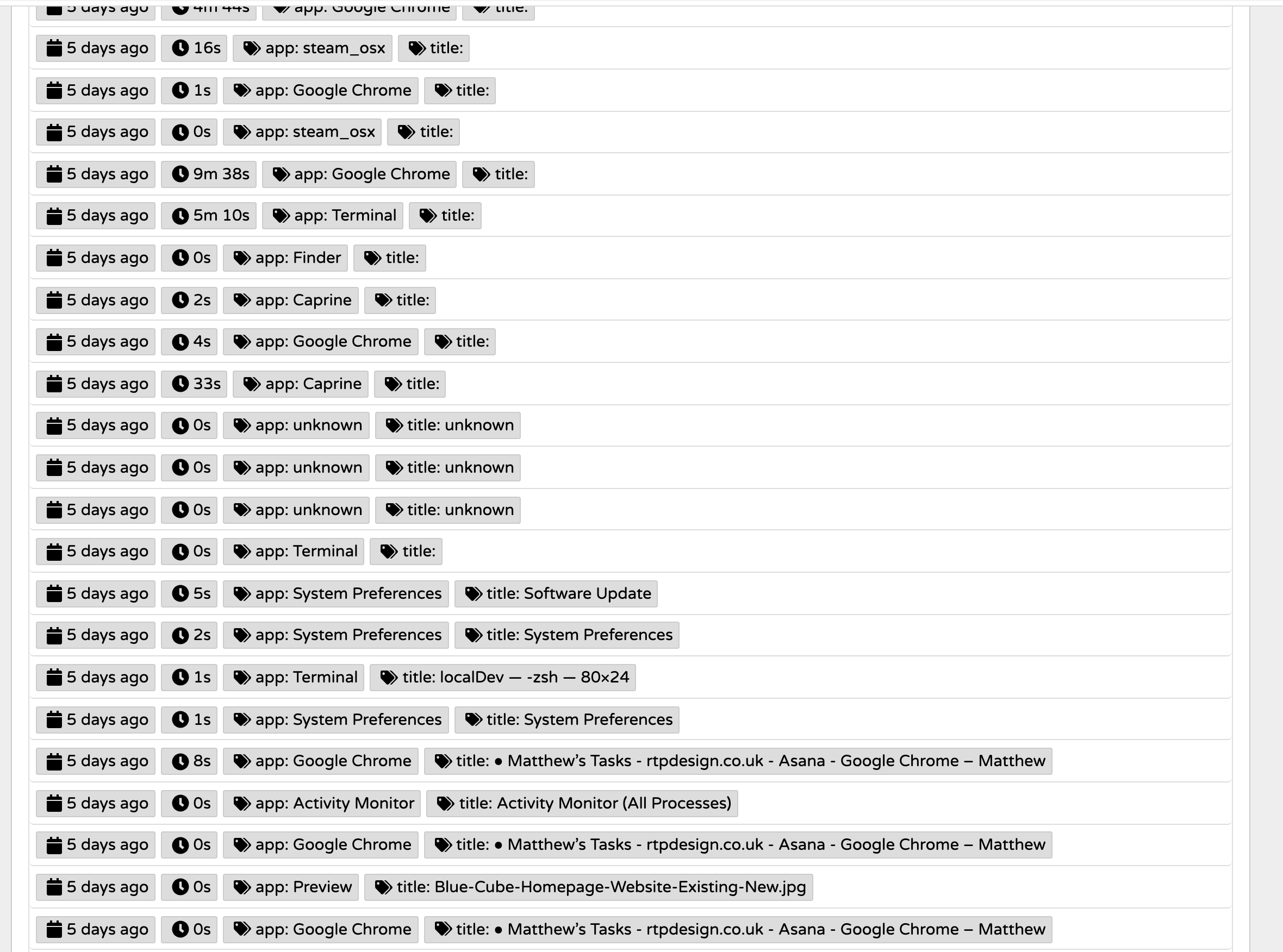
@rtpHarry Good info. As a possible fix, could you try removing ActivityWatch from your allowed accessibility permissions and re-adding it?
I'm also working on a clearer "missing permissions reporting" over at aw-watcher-window, but it'll take some time to be ready for use.

fyi the same issue happened when I went to the site and downloaded the 0.9.2 dmg and installed it - no titles until I removed and re-added accessibility permissions
I've installed activitywatch by downloading the the activitywatch-v0.9.2-macos-x86_64.dmg file, dragging the icon to application and then went to /Application, clicked right->open, answered the security question and got an icon in my tray/menu bar. I also went and added activitywatch to the accessibility security&privacy list.
Unfortunately, now my system has about 60% of an CPU running trustd, syspolicyd and my virus scanner.
I can trigger this by quitting activitywatch via the menu icon (all processes stop using CPU) and restarting it (all start up again). When I play with the started modules, the CPU load stops when I stop aw-watcher-window and starts again when I enable it. The rest (server and afk) make no problems.
Unfortunately, this 60%CPU is already enough to start the fan spinning, so it's quite annoying :-(

@jankatins I had some heavy usage spike with it and thought it was going to be a big drain, but I think that's just the initial scan from your virus checker. Once it has read all the files and scanned them it should settle down. The power usage on my laptop now is negligible, and I've been using this for a month or two. Perhaps give it a bit of time to see if it settles down?
(btw if this is a real issue then you should probably make your own ticket so it can be tracked properly)
Sorry, should have realized this: https://github.com/ActivityWatch/aw-watcher-window/issues/45
I started this comment when I was still thinking this was related to the signing problem because lot's of syspolicy google hits pointed to certificate checks.
I'm not sure whether this is relevant, but I see "System Events.app" eating some noticeable amount of CPU (10%) with Activity Watch 0.9.2 and aw-watcher-window enabled.
