

 ACINQ
ACINQ
Allow autobackup databases
We do want to get back the payment history when reinstalling the app. We are able to do that with the Android autobackup feature. The autobackup feature is launched approximately once a day.
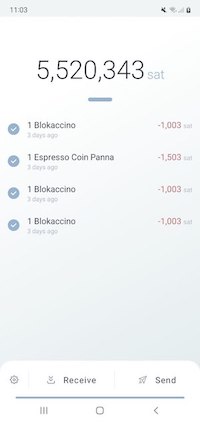
For the sake of testing the autobackup, we made 4 payments:
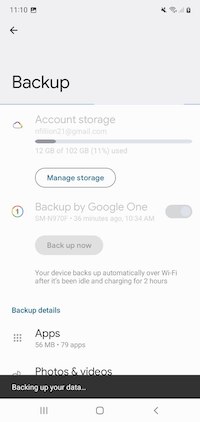
I launch the backup in Settings -> Accounts and backup -> Google Drive Backup up data
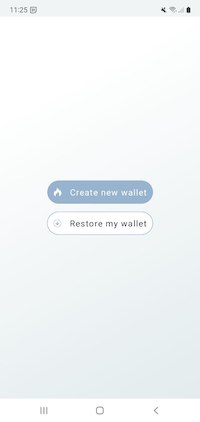
After uninstalling and reinstalling the app, I need to reimport my seed phrase.
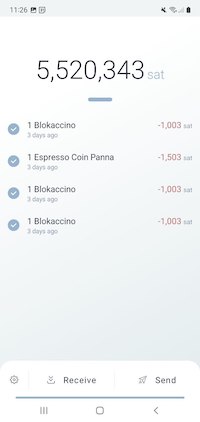
Once my seed phrase is imported, my 4 payments history are displayed.
I do the same test, without backup this time. I erase the app data and uninstall it. I make two new payments then turn off the wifi.

Once I import my seed phrase, the payment history is empty. The autobackup didn't have the opportunity to be done.


We do want to get back the payment history when reinstalling the app. We are able to do that with the Android autobackup feature. The autobackup feature is launched approximately once a day.
For the sake of testing the autobackup, we made 4 payments:
I launch the backup in Settings -> Accounts and backup -> Google Drive Backup up data
After uninstalling and reinstalling the app, I need to reimport my seed phrase.
Once my seed phrase is imported, my 4 payments history are displayed.
I do the same test, without backup this time. I erase the app data and uninstall it. I make two new payments then turn off the wifi.
Once I import my seed phrase, the payment history is empty. The autobackup didn't have the opportunity to be done.

Thanks for the report @gipnomag, for now the development on this PR is paused as we are focusing on other things, but we'll get back to it!
