

 AAChartModel
Could not resolve com.github.AAChartModel:AAChartCore-Kotlin:-SNAPSHOT.
FAILURE: Build failed with an exception.
- What went wrong: Could not determine the dependencies of task ':app:compileDebugJavaWithJavac'.
Could not resolve all task dependencies for configuration ':app:debugCompileClasspath'. Could not resolve com.github.AAChartModel:AAChartCore-Kotlin:-SNAPSHOT. Required by: project :app > Skipped due to earlier error > Could not resolve com.github.AAChartModel:AAChartCore-Kotlin:-SNAPSHOT. > Unable to load Maven meta-data from https://dl.bintray.com/umsdk/release/com/github/AAChartModel/AAChartCore-Kotlin/-SNAPSHOT/maven-metadata.xml. > Could not get resource 'https://dl.bintray.com/umsdk/release/com/github/AAChartModel/AAChartCore-Kotlin/-SNAPSHOT/maven-metadata.xml'. > Could not GET 'https://dl.bintray.com/umsdk/release/com/github/AAChartModel/AAChartCore-Kotlin/-SNAPSHOT/maven-metadata.xml'. Received status code 403 from server: Forbidden
-
Try: Run with --stacktrace option to get the stack trace. Run with --info or --debug option to get more log output. Run with --scan to get full insights.
-
Get more help at https://help.gradle.org
Deprecated Gradle features were used in this build, making it incompatible with Gradle 7.0. Use '--warning-mode all' to show the individual deprecation warnings. See https://docs.gradle.org/6.1.1/userguide/command_line_interface.html#sec:command_line_warnings
BUILD FAILED in 1m 38s

add maven { url 'https://www.jitpack.io' }to all_projects under project build.gradle
for example
allprojects { repositories { maven { url 'https://www.jitpack.io' } } }

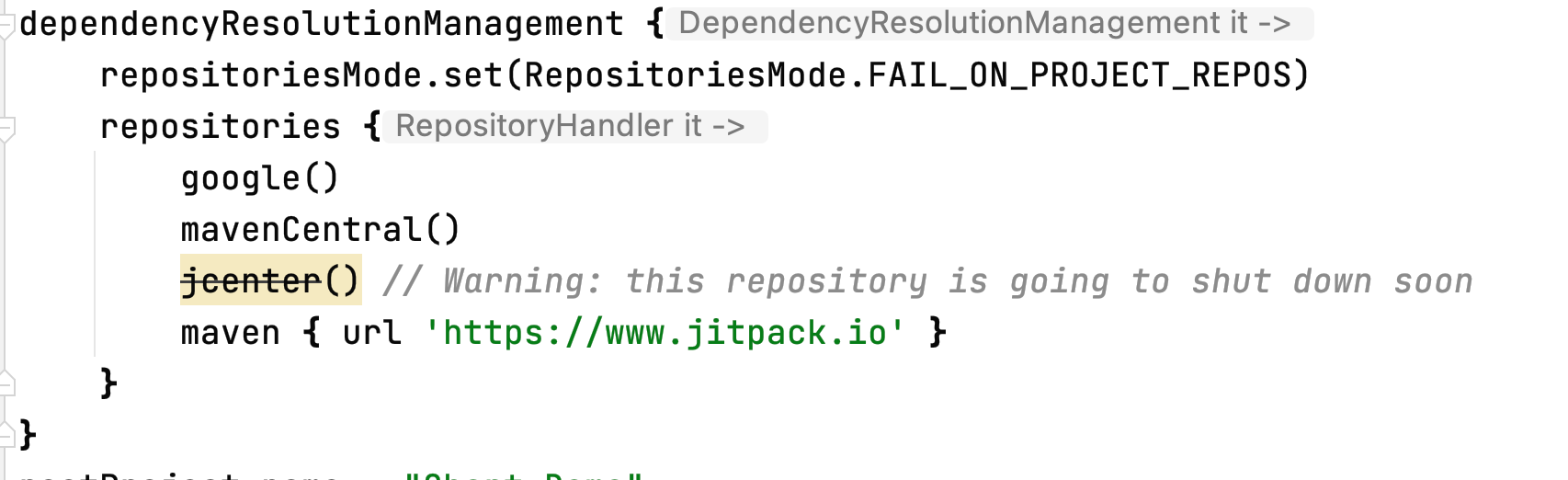
``In settings.gradle you can add the repository
dependencyResolutionManagement { repositoriesMode.set(RepositoriesMode.FAIL_ON_PROJECT_REPOS) repositories { google() mavenCentral() jcenter() // Warning: this repository is going to shut down soon maven { url 'https://www.jitpack.io' } } }
This worked for me.

将 maven { url ' https://www.jitpack.io ' } 添加到项目 build.gradle 下的 all_projects
例如
allprojects { 存储库 { maven { url ' https://www.jitpack.io ' } } }
add maven { url 'https://www.jitpack.io' }to all_projects under project build.gradle
for example
allprojects { repositories { maven { url 'https://www.jitpack.io' } } }
// Top-level build file where you can add configuration options common to all sub-projects/modules. buildscript { ext.kotlin_version = "1.3.72" repositories { google() jcenter() maven { url 'https://www.jitpack.io' } } dependencies { classpath "com.android.tools.build:gradle:4.0.1" classpath "org.jetbrains.kotlin:kotlin-gradle-plugin:$kotlin_version"
    // NOTE: Do not place your application dependencies here; they belong
    // in the individual module build.gradle files
}
}
allprojects { repositories { google() jcenter() maven { url 'https://jitpack.io' } maven { url 'http://maven.aliyun.com/nexus/content/repositories/releases/' } maven { url "https://oss.sonatype.org/content/repositories/snapshots/" }//文件下载filedownloader maven { url 'https://dl.bintray.com/umsdk/release' } //友盟统计
}
}
I just changed version and it worked for me
implementation 'com.github.AAChartModel:AAChartCore-Kotlin:7.1.0'

Update this library to the latest version as follows... implementation 'com.github.AAChartModel:AAChartCore-Kotlin:7.2.0'
