

 AAChartModel
AAChartView data won't change when the data changes
I managed to display the bubble chart but the data did not change even though the data changed (dynamic), how to fix it?, this is the code I put inside onCreate:
val aaChartView =  binding.aaChartView

val aaChart = AAChart()
            .type(AAChartType.Bubble)

val getTglIjtimaMasehi = awalBulanViewModel.getTglIjtimaMasehi()

val aaTitle = AATitle()
            .text("Visualisasi Hilal $getTglIjtimaMasehi")

val aaXAxis = AAXAxis()
            .min(240f)
            .max(300f)
            .tickInterval(10f)
            .title(AATitle().text("X Azimuth"))
            .gridLineWidth(1f)

val aaYAxis = AAYAxis()
            .min(-10f)
            .max(25f)
            //.title(AATitle().text("Y Alt Hilal"))
            .lineWidth(1f)
            .gridLineWidth(1f)

 val aaLegend = AALegend()
            .enabled(true)

sunAltD = awalBulanViewModel.getSunAltD()
moonAltD = awalBulanViewModel.getMoonAltD()

sunAzD = awalBulanViewModel.getSunAzD()
moonAzD = awalBulanViewModel.getMoonAzD()

fun generateBubbleDataSun(): Array<Any> {
            val data = mutableListOf<Any>()

            data.add(arrayOf(sunAzD, sunAltD, 2.0))

            return data.toTypedArray()
        }

fun generateBubbleDataMoon(): Array<Any> {
            val data = mutableListOf<Any>()

            data.add(arrayOf(moonAzD, moonAltD, 2.0))

            return data.toTypedArray()
        }

val aaSeriesElementSun = AASeriesElement()
                    .name("SUN")
                    .data(generateBubbleDataSun())
                    .color("#FFFD22")

val aaSeriesElementMoon = AASeriesElement()
                    .name("MOON")
                    .data(generateBubbleDataMoon())
                    .color("#BFBFBF")

val aaOptions = AAOptions()
            .chart(aaChart)
            .title(aaTitle)
            .xAxis(aaXAxis)
            .yAxis(aaYAxis)
            .legend(aaLegend)
            .series(arrayOf(aaSeriesElementSun, aaSeriesElementMoon))


aaChartView.aa_drawChartWithChartOptions(aaOptions)


aaChartView.aa_updateChartWithOptions(aaOptions, true)

aaChartView.aa_onlyRefreshTheChartDataWithChartOptionsSeriesArray(arrayOf(aaSeriesElementSun, aaSeriesElementMoon), true)


aaChartView.aa_refreshChartWithChartOptions(aaOptions)

You should not call the refresh method immediately after drawing the chart.
Moreover, each of these three refresh methods has its own applicable scenario.
Since the method comments in the Kotlin version may not be very comprehensive at present, you can first refer to the comments of the same methods in the Swift version.
// MARK: - Configure Chart View Content With AAOptions
@available(iOS 10.0, macCatalyst 13.1, macOS 10.13, *)
extension AAChartView {
    /// Function of drawing chart view
    ///
    /// - Parameter aaOptions: The instance object of AAOptions model
    public func aa_drawChartWithChartOptions(_ aaOptions: AAOptions) {
        if optionsJson == nil {
            configureOptionsJsonStringWithAAOptions(aaOptions)
            let path = BundlePathLoader()
                .path(forResource: "AAChartView",
                      ofType: "html",
                      inDirectory: "AAJSFiles.bundle")
            let urlStr = NSURL.fileURL(withPath: path!)
            let urlRequest = NSURLRequest(url: urlStr) as URLRequest
            load(urlRequest)
        } else {
            aa_refreshChartWholeContentWithChartOptions(aaOptions)
        }
    }

    /// Function of only refresh the chart data after the chart has been rendered
    /// Refer to https://api.highcharts.com/class-reference/Highcharts.Chart#update
    ///
    /// - Parameter chartOptionsSeries: chart options series  array
    /// - Parameter animation: enable animation effect or not
    public func aa_onlyRefreshTheChartDataWithChartOptionsSeries(_ chartOptionsSeries: [AASeriesElement], animation: Bool = true) {
        var seriesElementDicArr = [[String: Any]]()
        chartOptionsSeries.forEach { (aaSeriesElement) in
            seriesElementDicArr.append(aaSeriesElement.toDic())
        }

        let str = getJSONStringFromArray(array: seriesElementDicArr)
        let jsStr = "onlyRefreshTheChartDataWithSeries('\(str)','\(animation)');"
        safeEvaluateJavaScriptString(jsStr)
    }

    ///  Function of refreshing whole chart view content after the chart has been rendered
    ///
    /// - Parameter aaOptions: The instance object of AAOptions model
    public func aa_refreshChartWholeContentWithChartOptions(_ aaOptions: AAOptions) {
        configureOptionsJsonStringWithAAOptions(aaOptions)
        drawChart()
    }
}
// MARK: - Additional update Chart View Content methods
@available(iOS 10.0, macCatalyst 13.1, macOS 10.13, *)
extension AAChartView {
    /// A common chart update function
    /// (you can update any chart element) to open, close, delete, add, resize, reformat, etc. elements in the chart.
    /// Refer to https://api.highcharts.com/highcharts#Chart.update
    ///
    /// It should be noted that when updating the array configuration,
    /// for example, when updating configuration attributes including arrays such as xAxis, yAxis, series, etc., the updated data will find existing objects based on id and update them. If no id is configured or passed If the id does not find the corresponding object, the first element of the array is updated. Please refer to this example for details.
    ///
    /// In a responsive configuration, the response of the different rules responsive.rules is actually calling chart.update, and the updated content is configured in chartOptions.
    ///
    /// - Parameter options: A configuration object for the new chart options as defined in the options section of the API.
    /// - Parameter redraw: Whether to redraw after updating the chart, the default is true
    public func aa_updateChart(options: AAObject, redraw: Bool) {
        let isOptionsClass: Bool = options is AAOptions
        let optionsDic = options.toDic()
        let finalOptionsDic: [String : Any]!

        if isOptionsClass == true {
            finalOptionsDic = optionsDic
        } else {
            var classNameStr = options.classNameString
            if classNameStr.contains(".") {
                classNameStr = classNameStr.components(separatedBy: ".")[1];
            }

            classNameStr = classNameStr.replacingOccurrences(of: "AA", with: "")

            //convert first character to be lowercase string
            let firstChar = classNameStr.prefix(1)
            let lowercaseFirstChar = firstChar.lowercased()
            let index = classNameStr.index(classNameStr.startIndex, offsetBy: 1)
            classNameStr = String(classNameStr.suffix(from: index))
            let finalClassNameStr = lowercaseFirstChar + classNameStr
            finalOptionsDic = [finalClassNameStr: optionsDic as Any]
        }

        #if DEBUG
        let data = try? JSONSerialization.data(withJSONObject: finalOptionsDic as Any, options: .prettyPrinted)
        if data != nil {
            let prettyPrintedModelJson = String(data: data!, encoding: String.Encoding.utf8)
            print("""

                -----------📊🔄🖨 console log AAOptions JSON information of advanced updating 🖨🔄📊-----------:
                \(prettyPrintedModelJson!)

                """)
        }
        #endif

        let optionsStr = getJSONStringFromDictionary(dictionary: finalOptionsDic)
        let jsStr = "updateChart('\(optionsStr)','\(redraw)')"
        safeEvaluateJavaScriptString(jsStr)
    }
...
...
...
}

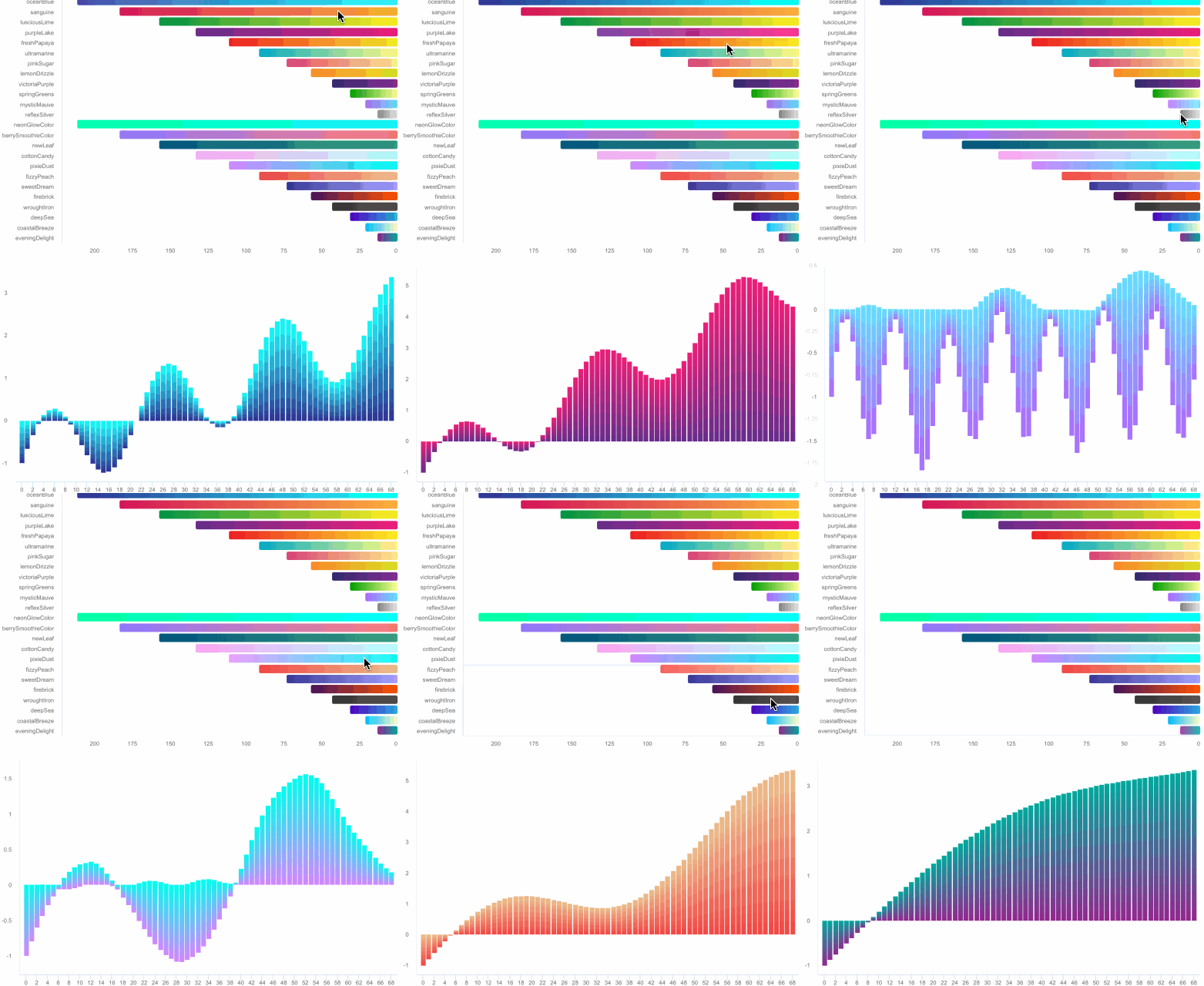
You can find examples of data updates with dual-table interactivity in the demo, as shown in the figure:
You should not call the refresh method immediately after drawing the chart.
Moreover, each of these three refresh methods has its own applicable scenario.
Since the method comments in the Kotlin version may not be very comprehensive at present, you can first refer to the comments of the same methods in the Swift version.
// MARK: - Configure Chart View Content With AAOptions
@available(iOS 10.0, macCatalyst 13.1, macOS 10.13, *)
extension AAChartView {
    /// Function of drawing chart view
    ///
    /// - Parameter aaOptions: The instance object of AAOptions model
    public func aa_drawChartWithChartOptions(_ aaOptions: AAOptions) {
        if optionsJson == nil {
            configureOptionsJsonStringWithAAOptions(aaOptions)
            let path = BundlePathLoader()
                .path(forResource: "AAChartView",
                      ofType: "html",
                      inDirectory: "AAJSFiles.bundle")
            let urlStr = NSURL.fileURL(withPath: path!)
            let urlRequest = NSURLRequest(url: urlStr) as URLRequest
            load(urlRequest)
        } else {
            aa_refreshChartWholeContentWithChartOptions(aaOptions)
        }
    }

    /// Function of only refresh the chart data after the chart has been rendered
    /// Refer to https://api.highcharts.com/class-reference/Highcharts.Chart#update
    ///
    /// - Parameter chartOptionsSeries: chart options series  array
    /// - Parameter animation: enable animation effect or not
    public func aa_onlyRefreshTheChartDataWithChartOptionsSeries(_ chartOptionsSeries: [AASeriesElement], animation: Bool = true) {
        var seriesElementDicArr = [[String: Any]]()
        chartOptionsSeries.forEach { (aaSeriesElement) in
            seriesElementDicArr.append(aaSeriesElement.toDic())
        }

        let str = getJSONStringFromArray(array: seriesElementDicArr)
        let jsStr = "onlyRefreshTheChartDataWithSeries('\(str)','\(animation)');"
        safeEvaluateJavaScriptString(jsStr)
    }

    ///  Function of refreshing whole chart view content after the chart has been rendered
    ///
    /// - Parameter aaOptions: The instance object of AAOptions model
    public func aa_refreshChartWholeContentWithChartOptions(_ aaOptions: AAOptions) {
        configureOptionsJsonStringWithAAOptions(aaOptions)
        drawChart()
    }
}
// MARK: - Additional update Chart View Content methods @available(iOS 10.0, macCatalyst 13.1, macOS 10.13, *) extension AAChartView { /// A common chart update function /// (you can update any chart element) to open, close, delete, add, resize, reformat, etc. elements in the chart. /// Refer to https://api.highcharts.com/highcharts#Chart.update /// /// It should be noted that when updating the array configuration, /// for example, when updating configuration attributes including arrays such as xAxis, yAxis, series, etc., the updated data will find existing objects based on id and update them. If no id is configured or passed If the id does not find the corresponding object, the first element of the array is updated. Please refer to this example for details. /// /// In a responsive configuration, the response of the different rules responsive.rules is actually calling chart.update, and the updated content is configured in chartOptions. /// /// - Parameter options: A configuration object for the new chart options as defined in the options section of the API. /// - Parameter redraw: Whether to redraw after updating the chart, the default is true public func aa_updateChart(options: AAObject, redraw: Bool) { let isOptionsClass: Bool = options is AAOptions let optionsDic = options.toDic() let finalOptionsDic: [String : Any]! if isOptionsClass == true { finalOptionsDic = optionsDic } else { var classNameStr = options.classNameString if classNameStr.contains(".") { classNameStr = classNameStr.components(separatedBy: ".")[1]; } classNameStr = classNameStr.replacingOccurrences(of: "AA", with: "") //convert first character to be lowercase string let firstChar = classNameStr.prefix(1) let lowercaseFirstChar = firstChar.lowercased() let index = classNameStr.index(classNameStr.startIndex, offsetBy: 1) classNameStr = String(classNameStr.suffix(from: index)) let finalClassNameStr = lowercaseFirstChar + classNameStr finalOptionsDic = [finalClassNameStr: optionsDic as Any] } #if DEBUG let data = try? JSONSerialization.data(withJSONObject: finalOptionsDic as Any, options: .prettyPrinted) if data != nil { let prettyPrintedModelJson = String(data: data!, encoding: String.Encoding.utf8) print(""" -----------📊🔄🖨 console log AAOptions JSON information of advanced updating 🖨🔄📊-----------: \(prettyPrintedModelJson!) """) } #endif let optionsStr = getJSONStringFromDictionary(dictionary: finalOptionsDic) let jsStr = "updateChart('\(optionsStr)','\(redraw)')" safeEvaluateJavaScriptString(jsStr) } ... ... ... }
can't call refresh method immediately after drawing? so should be wrapped in coroutine with delay? Previously I tried using these 2 methods but it still didn't work:
aaChartView.aa_drawChartWithChartOptions(aaOptions)

aaChartView.aa_onlyRefreshTheChartDataWithChartOptionsSeriesArray(arrayOf(aaSeriesElementSun, aaSeriesElementMoon), true)