

 4ian
4ian
Parallax extension does not cover player area
Using Parallax Extension, and you go outside the box on the screen, the image that has parallax is not shown.
Well, actually I don't know how to report this, but I'll leave an example here to show what happens
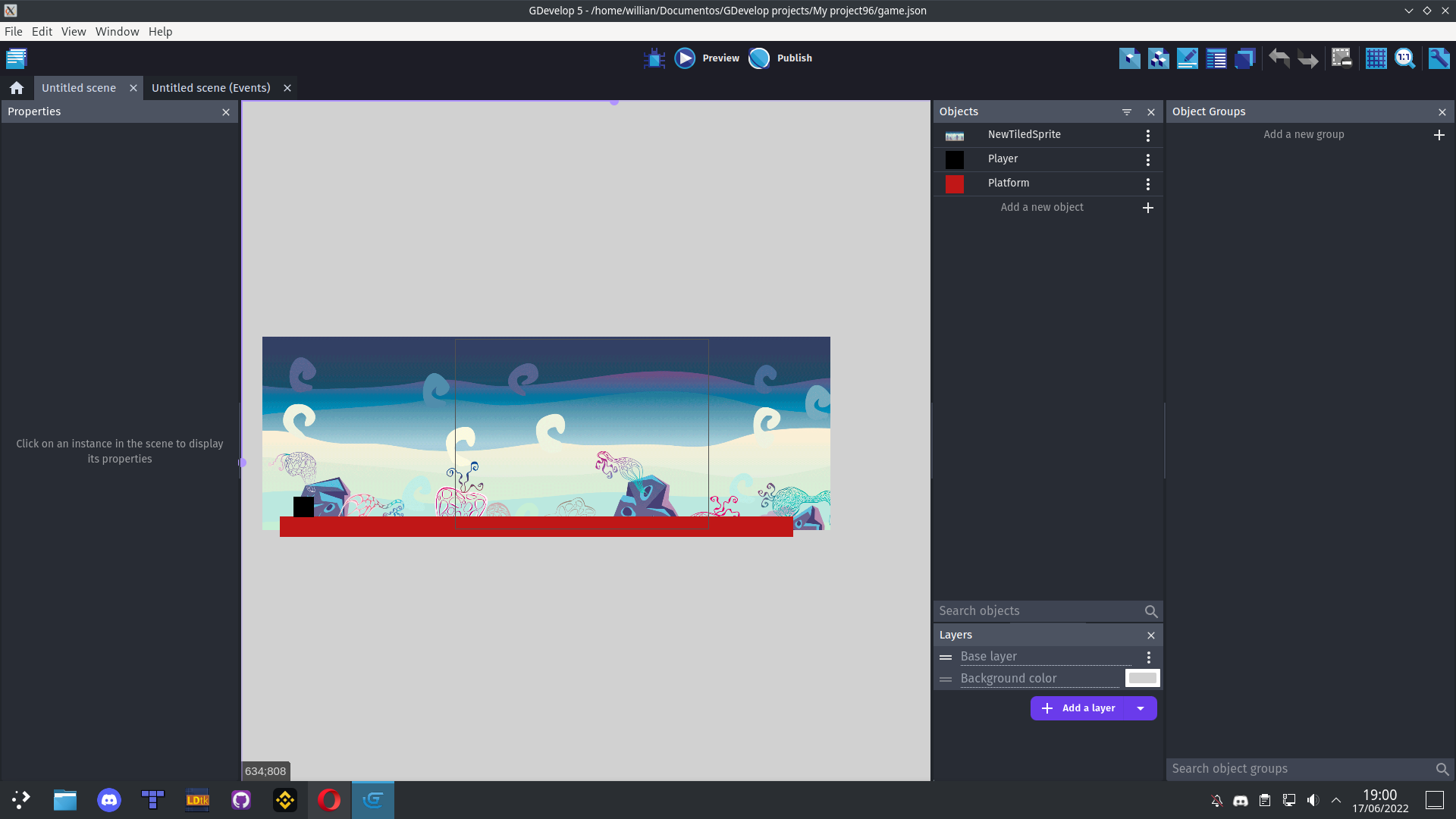
Realize that the image is all over that place on the screen, but when running, it does not appear.
https://user-images.githubusercontent.com/23488207/174406410-5a6baf63-fe7c-4af9-bb8c-c435b73f4d4c.mp4
If this should happen, I think it needs a better description for any misunderstandings about the extension.

As far as I know the parallax object is supposed to be on its own layer with no camera events for that layer, so it isn't affected by any base layer camera movement.
It seems like you are leaving it on the main layer.

Well, according to the extension, if you leave it blank, it's the base layer that will work!
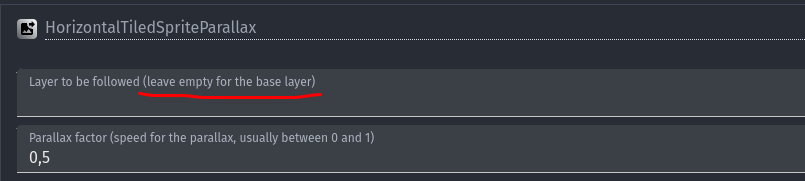
Yes, that's the layer the object follows with it's scrolling, basically it's "virtual camera" for it to move the background along with. Not the layer that it follows with movement of the object itself.
You'd still want it to be on a separate layer that doesn't move.
I made an example easier to understand.
Without the extension enabled, and then with the extension enabled! https://youtu.be/SscD9OznZgM
PS: Sorry for the delay in loading, there are already two versions that look like this and I still haven't figured out why it takes so long!
I'm not sure what I'm supposed to be looking for in the example in this instance. However while the information I provided above appears to be correct (looking at the old example platformer that used it, the background has to be on its own separate layer that doesn't have a moving camera, and the extension scrolls the X offset), if it isn't working for you I definitely think it's worth digging into by the author.
Unfortunately, community extensions aren't supported in the main github. It might be worthwhile to open up the issue with your example (and a description of what you're expecting vs seeing in the example) in the Extension Github: https://github.com/GDevelopApp/GDevelop-extensions/issues