
GDevelop

GDevelop copied to clipboard
Published
3 weeks ago
•
 4ian
4ian
4ian
Object Groups On Events Sheet(Behaviors)
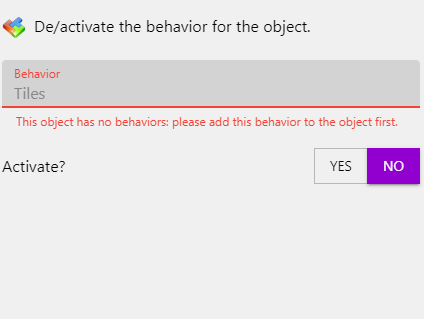
The events on the groups allow you to put in actions that cannot be used(De/activate a Behaviour).
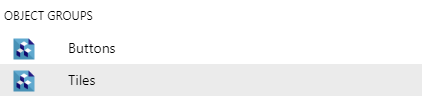
To Reproduce
Steps to reproduce the behavior:
- Go to 'Groups Page'
- Click on 'New Group'
- Change to 'Events Sheet'
- Add 'New event'
- Add a 'Action'(On the event)
- Select "De/activate a Behavior" on the group()
- See error
Error.
- Please include a link to a game if possible!
- If applicable, add screenshots to help explain your problem.
Other details
- Include any OS/browser version/smartphone that you're using WIN 10
- Which version of GDevelop are you using? The desktop app or the web-app? Desktop
- Add any other context about the problem here. This is more of a confusion, but when I was optimizing, I thought I could use the tiles group to optimize by disabling certain behaviors when something is off camera.

As far as I know, it only appears if all objects in the group have the same behavior. But you can, apply and write on the command line.
