

 4ian
4ian
Sprites distort upon moving to 0x/0y or lower.
Describe the bug
Reported by Minus Dungeon Games on the discord, sprites are starting to distort/blur as soon as they hit the top or left boundary of a game window (0y/0x).
To Reproduce
Steps to reproduce the behavior:
- Create a new project.
- Create a sprite (from the asset library or custom).
- Add to the scene in the center.
- Add events or behaviors to move the sprite up or left (Top down is probably easiest, but this occurs even when testing with forces)
- Move to the top or left edge of the screen.
Here's an example project with no behaviors, during preview:
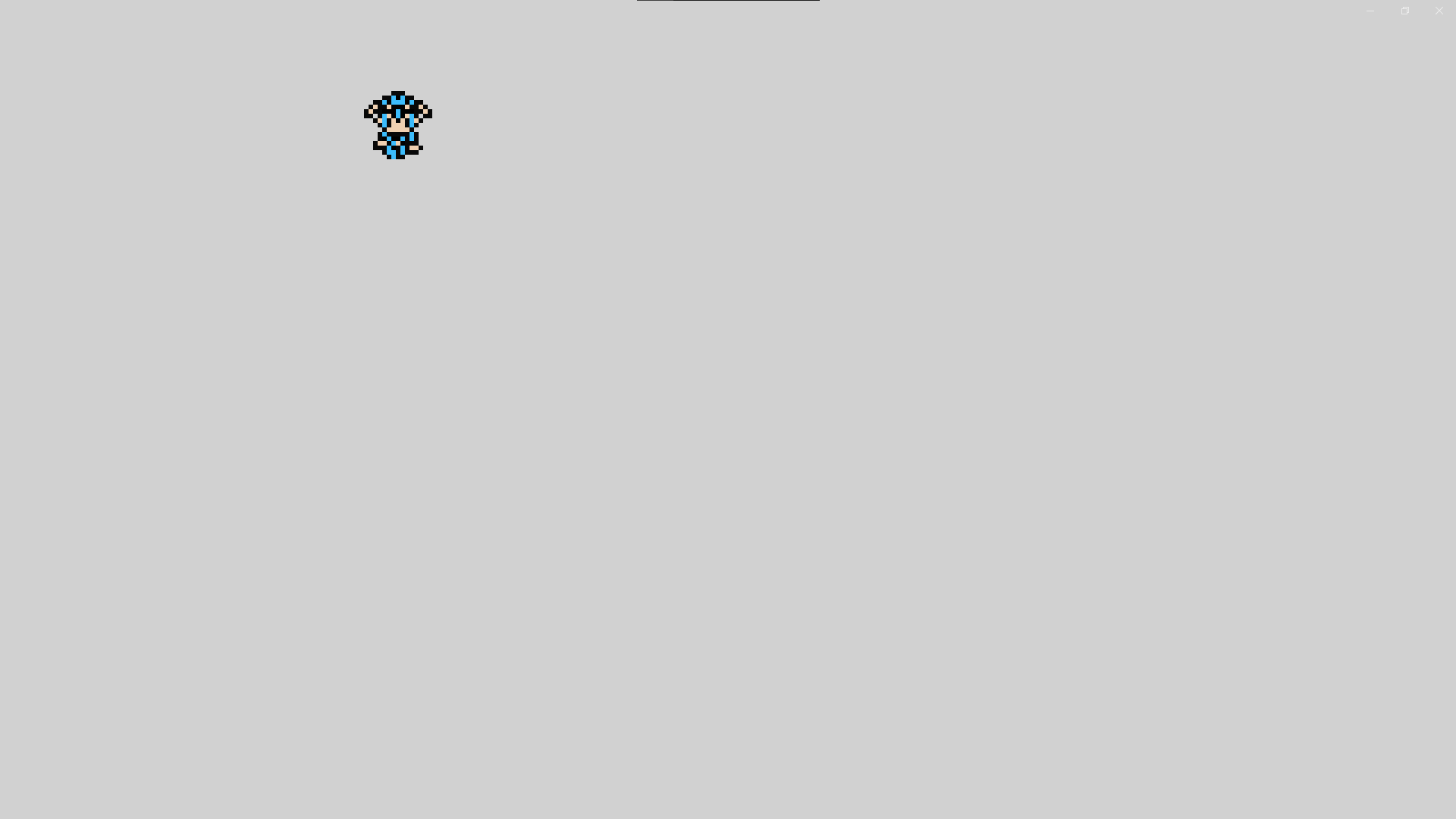
Here's after moving to the top or left edge:
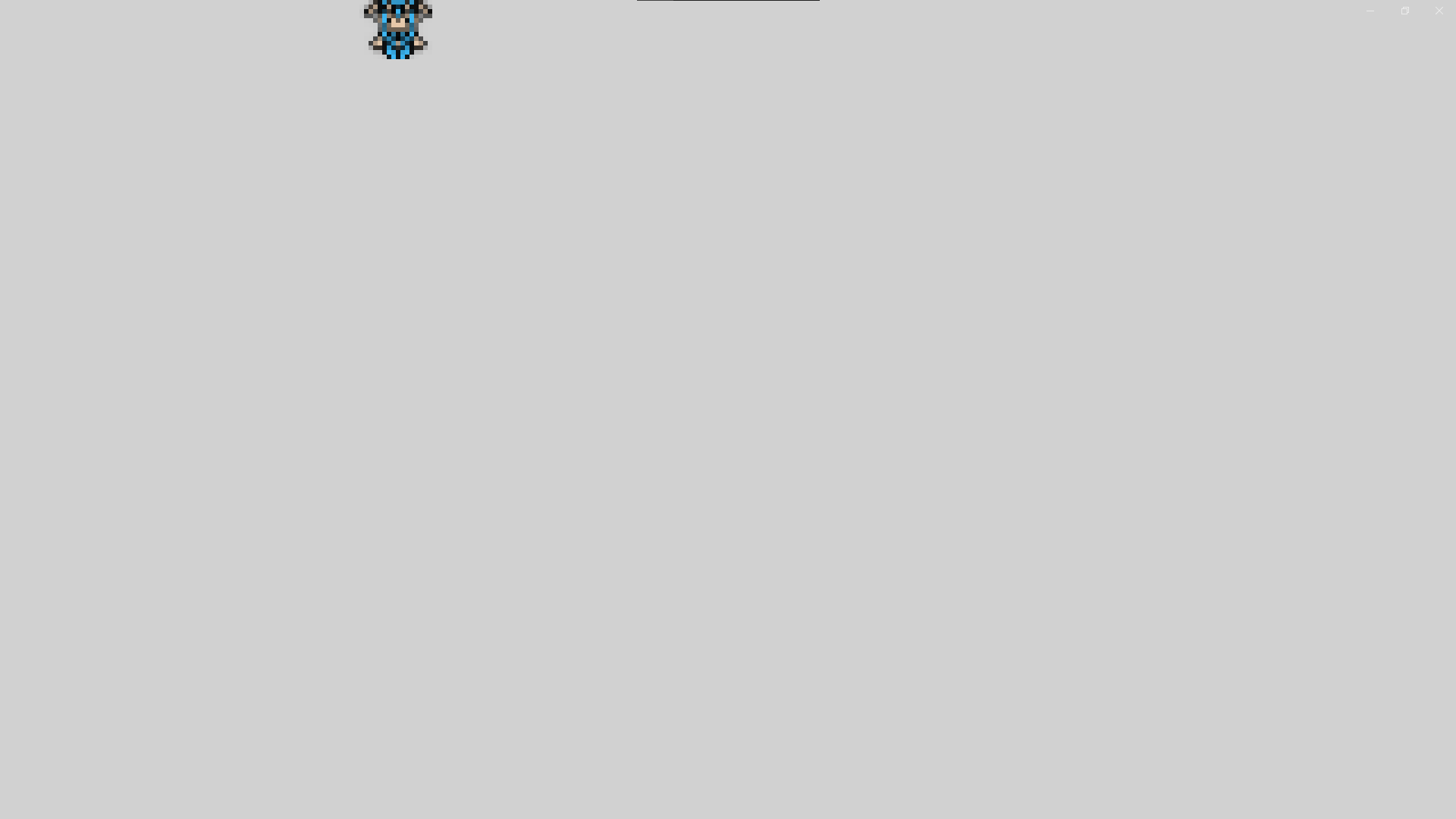
Here's the only event:

A quick link to the preview: https://game-previews.gdevelop-app.com/1640128365831-86907/index.html
Project settings:
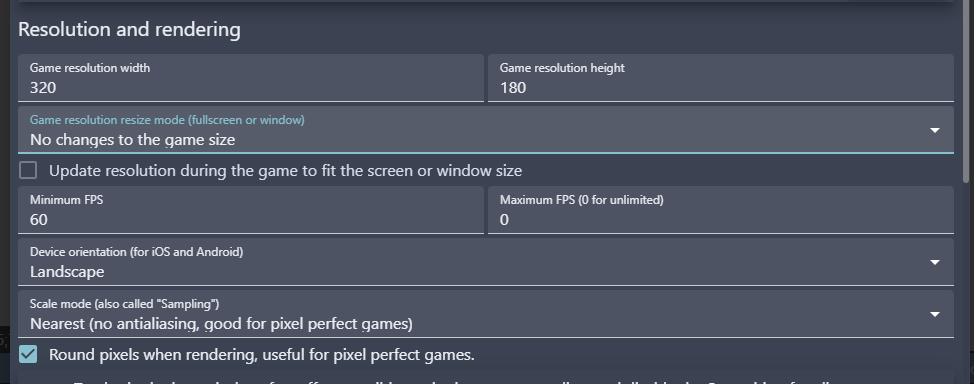
Other details
- Windows 10 Pro 64 bit
- All of the above testing was done using the current web demo, but Minus Dungeon Games was testing with the installed client.
- I cannot test with other projects right now, but Minus Dungeon Games stated it DOES NOT happen with previous projects. Maybe something specific to newer versions?

Thanks @Silver-Streak - I've managed to reproduce the issue with a blank project too. It seems particularly visible when the "Round pixels" option is activated, making my sprite "clean" when fully visible, and "blurry" when it reaches the edges.

@ClementPasteau I did some more testing last night. It also seems to be specific to the camera, too? If you have the camera center on the object that's moving to 0,0 there is no distortion
Camera not following object
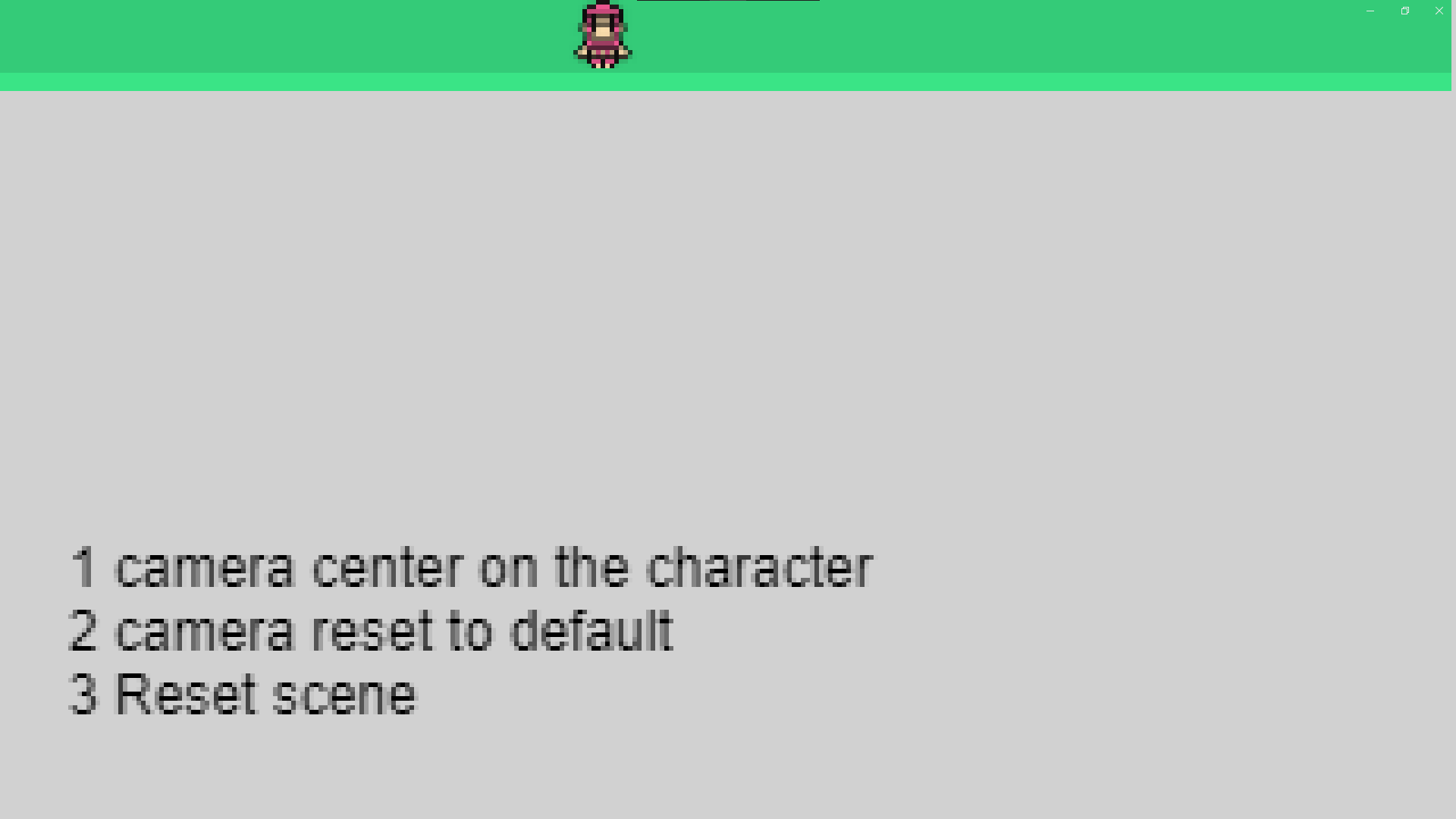
Camera snapped to object
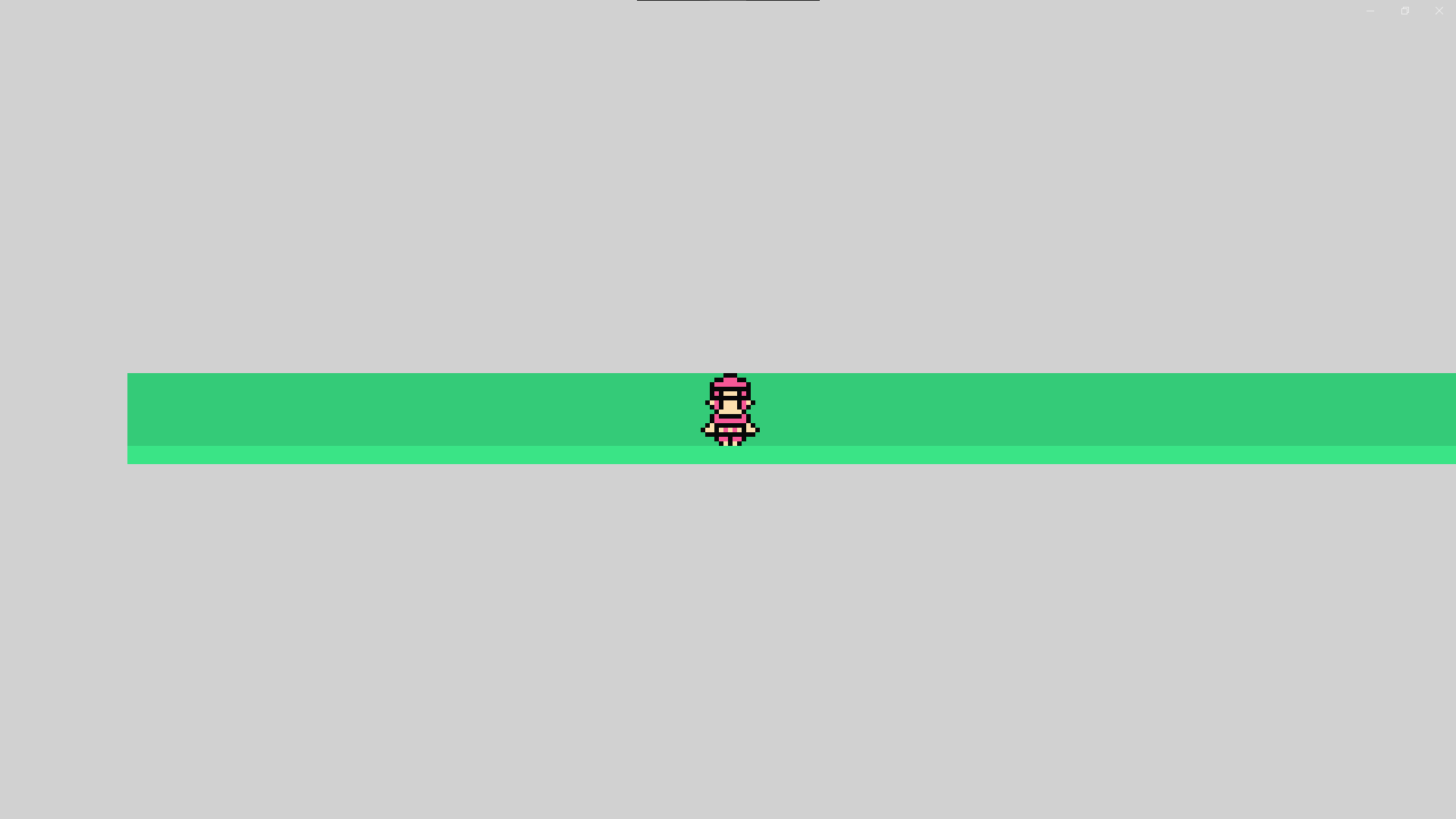
https://game-previews.gdevelop-app.com/1640197218637-986178/index.html
Round positions does make it more visible, but it happens just as much without it (it's just that without rounding positions you'll also get some blurriness while moving to non-integer positions)
I also confirmed it is camera specific. If you move the camera to 300x, and move the player to the leftmost/topmost boundary of the camera, it distorts. It's not 0x0y positions, it's leftmost/topmost boundary of the Camera, specifically.
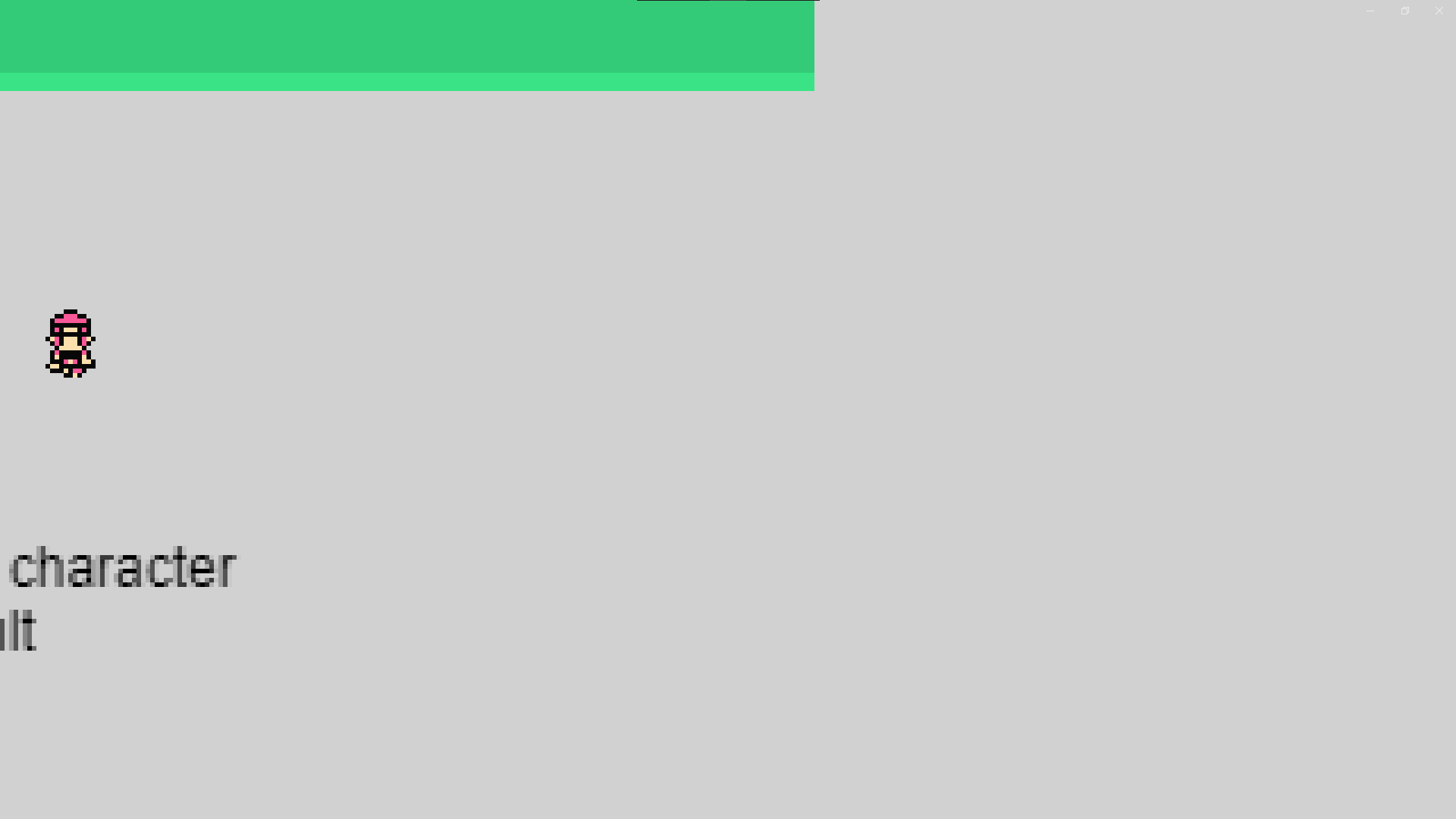
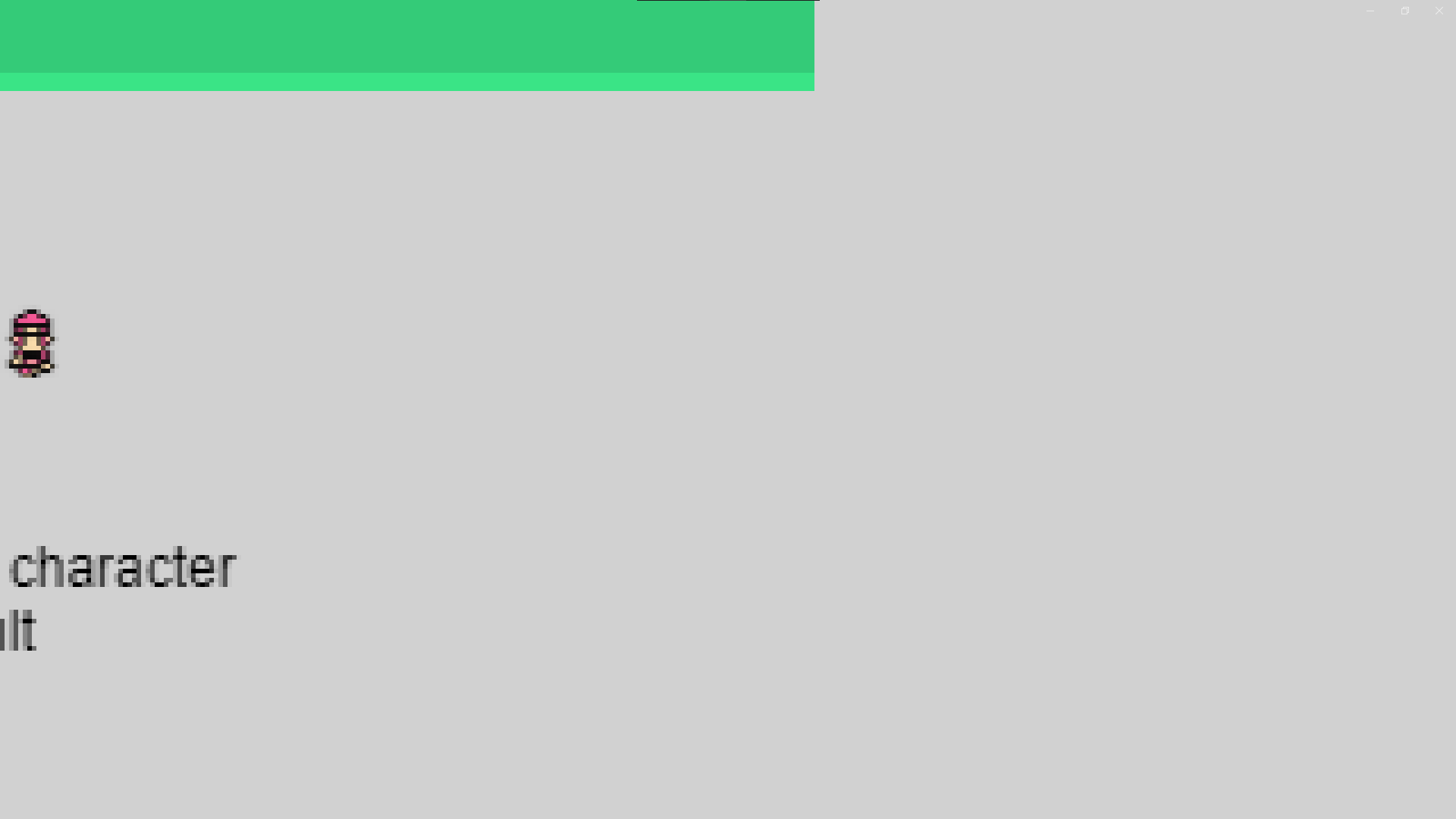
Nice tests. I can confirm the same behavior. Also, zooming in and out doesn't seem to change where the problem occurs. It does seem to be a problem of "the top left point of the sprite goes out of the camera boundaries".
I'll dig a bit what could cause this.
This is MinusDungeonGames. I just have a different name on Github. I have done some more testing with this bug. It seems to be related to the position of the sprite (or more likely the position of the sprite's collision mask?) being at a subpixel (non-integer) position.
If you set condition to always round position of the sprite it doesn't happen.
I made a video showing the test here https://www.youtube.com/watch?v=ErWjIkTFs24

I had nearly forgotten about this until user Tenebreux on the discord reported this when they are moving to the left side of the screen.
Attached is their example project. Has there been any progress on this, @ClementPasteau ? Project_Distortion.zip
Thanks for chasing @Silver-Streak Clearly forgotten about it too. I haven't found a plausible cause for this behavior. If someone else want to give it a shot...
Heh, this was actually the very first problem I found when I got GDevelop!
First thing I did was making a new project, low resolution (because I love retro games) and I put a movable character in a plaformer and ... bam. Pixels got ruined as soon as I approached left or/and top edges. I came here to open a new issue but am glad to see that one is already open!
I tested with a dither pattern to see exactly what's happening to the pixels. I put 4 objects. 1 on top left, 1 on top, 1 on left, and 1 on center. The center one is how it's supposed to look.
Test 1:
Test 2:
