

 4ian
4ian
Copy and paste duplicates if more than one line is selected
The bug is that you select two lines of code at the same time, copy and paste.
How to reproduce? Select two lines of code, press ctrl+c and then ctrl+v. This happens if you still have both lines of code selected. What seems to happen is, GD "pastes" all selected lines and not just once.
Yesterday I had a problem in my code and I didn't know why. When I noticed, a lot of my code was duplicated.
This bug only happens if you don't "deselect" the lines of code you are copying!

That's actually something that is coded on purpose, much like in programming text editors when you can have multiple cursors and paste multiple times the same things... but I agree it can be confusing.

I submitted this same bug when I first started using GDevelop, and now (a year later) I still feel that this is the most awkward user experience in GDevelop.
"Copy and Paste" is a very common function of an editor, and almost all apps do it the same way:
Step 1) Select objects Step 2) Paste objects* Step 3) The same (quantity and ordering) objects selected in 1 now appear where they were pasted in 2.
*Some apps provide options when pasting, such as "ignore formatting".
At least we all agree it is confusing... so why do we keep this non-standard behavior?

objects selected in 1 now appear where they were pasted in 2.
In case of a single selected event/action/condition, the location where to paste the things selected in 1 is obvious. In the case where you've selected multiple event/action/condition and press Ctrl+V, where should we paste what was copied? At the last selected event? If you right clicked and choose paste, the position might be obvious (at the position where you right clicked, so the last selected events... probably).
EDIT: In other words, when I press Ctrl+V in this situation, where should the copied events be pasted?
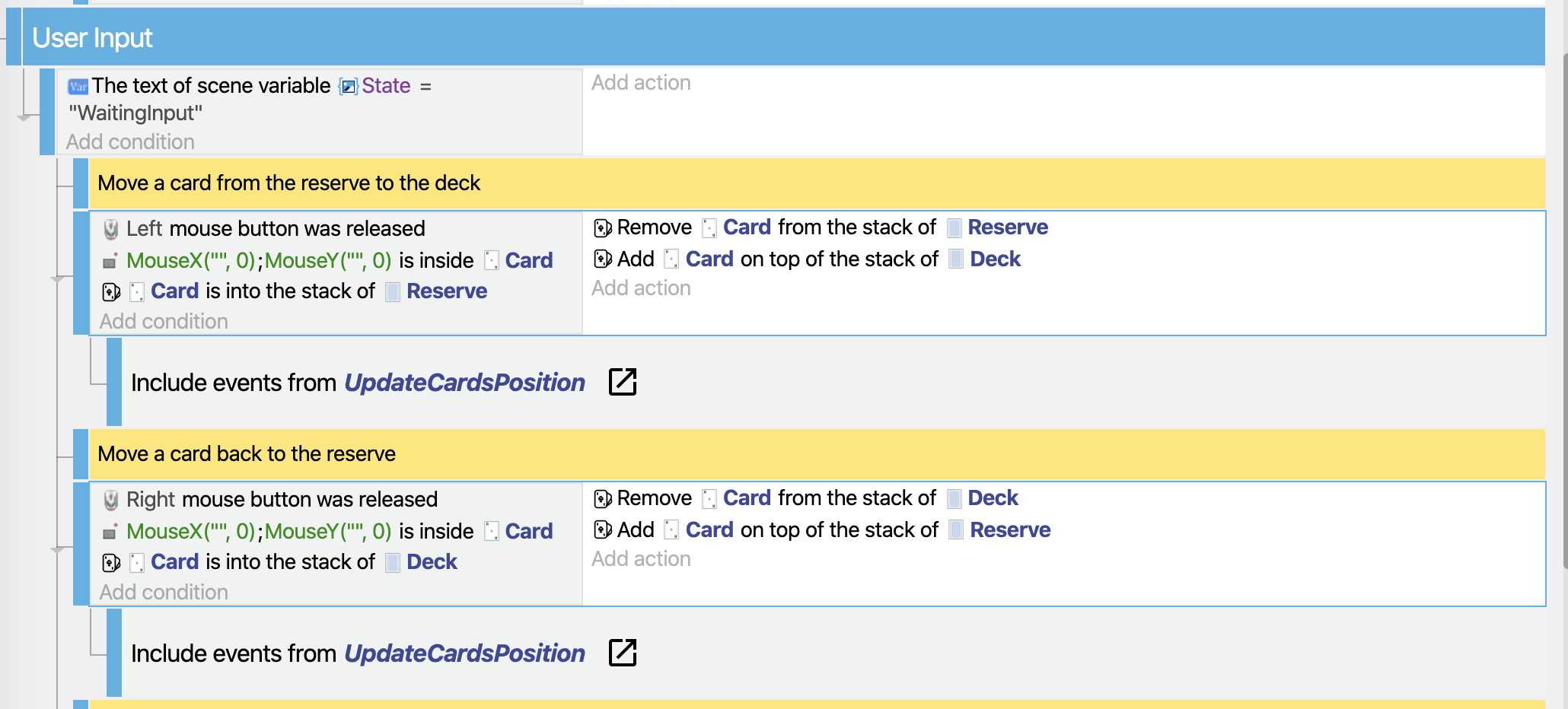
(Note that the answer might be: we need to make the latest selected/focused events more visible, rather than just highlighted in blue)
In the case where you've selected multiple event/action/condition and press Ctrl+V, where should we paste what was copied? At the last selected event?
The paste occurs where the current mouse focus is. After a user performs a copy, they can select the destination to paste. (If they don't change the mouse focus, the paste will occur at the most recent selected event.)
I have not decided if the paste should be inserted before or after the event that has focus, but they should appear at the same "depth".
EDIT: In other words, when I press Ctrl+V in this situation, where should the copied events be pasted?
It looks like you have highlighted two sub-events. After initiating the copy and selecting the destination, there should be two new events (including all their sub-events). The order of events should stay the same, regardless of when they were highlighted (left-button event first, then right-button event).
Here are some problems that I don't know how to handle:
- The copy includes events from different "depths" (a top-level event + non-related a sub-event)
- The copy includes a parent event and a subset of the child events
(Note that the answer might be: we need to make the latest selected/focused events more visible, rather than just highlighted in blue)
This would be a great improvement! The thin-blue outline is hard to see and I often have to search for what is highlighted. I like the background highlight used when selecting a condition or event; could that also be used to highlight the entire event? If so, should subevents also be highlighted (to signify the impact of a copy/cut/delete/drag)?
The good thing would be if everything you copy and paste was under the last selected code! And not up as it currently is. I don't know about you, but I always program top-down and not the other way around. I understood what 4ian meant, and I understand that it can be seen as a feature. But this sometimes (mostly actually) seems very strange and confusing.
Maybe as a workaround, we could deselect the events after copying them? That could bring a new batch of frustration as well though.

I also always found the copy and paste very confusing, I don't use it anymore for this reason. Here in five GIF how I would like to see the copy/paste:
-
Simple selection
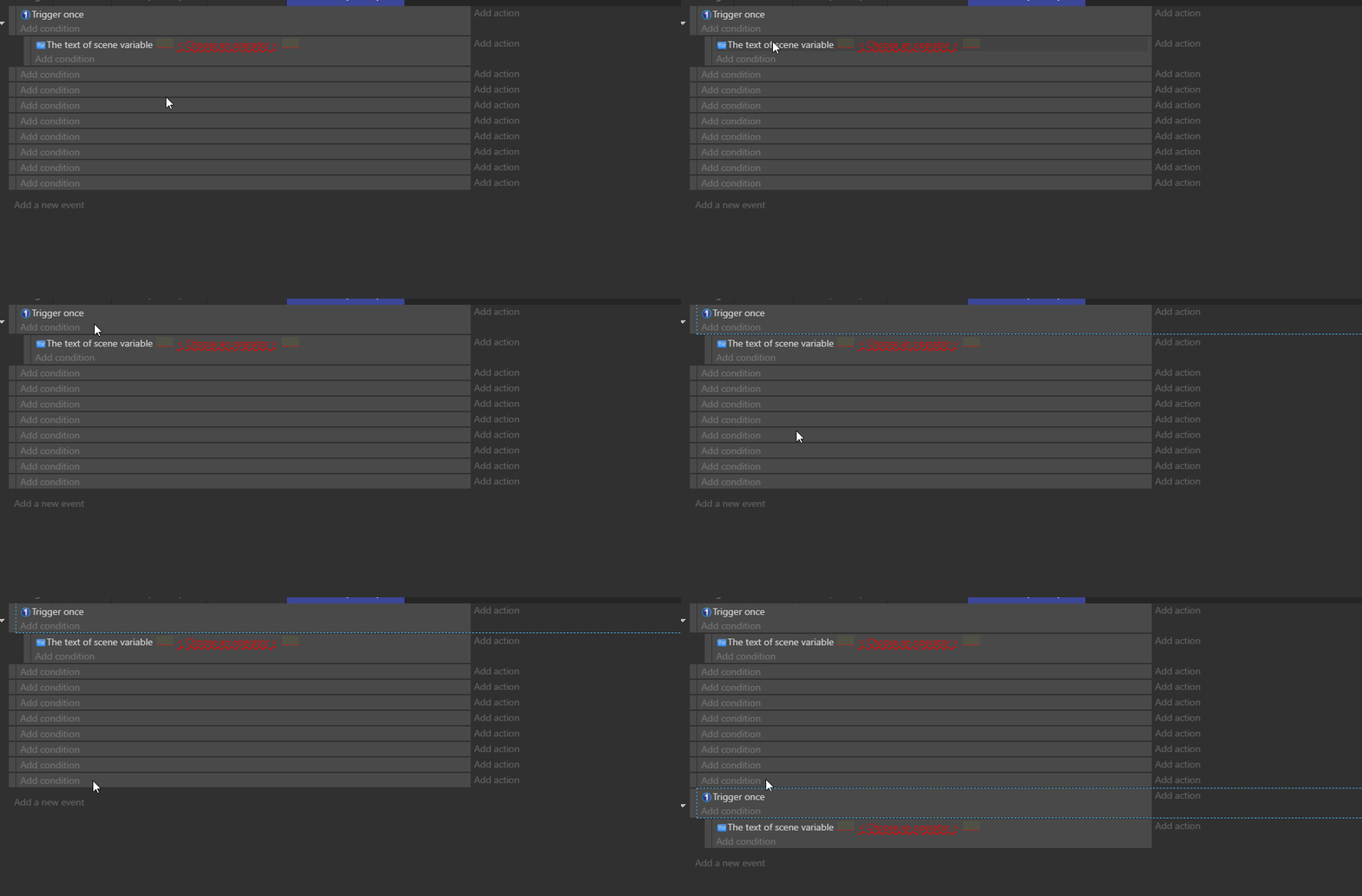
-
Multiple selections
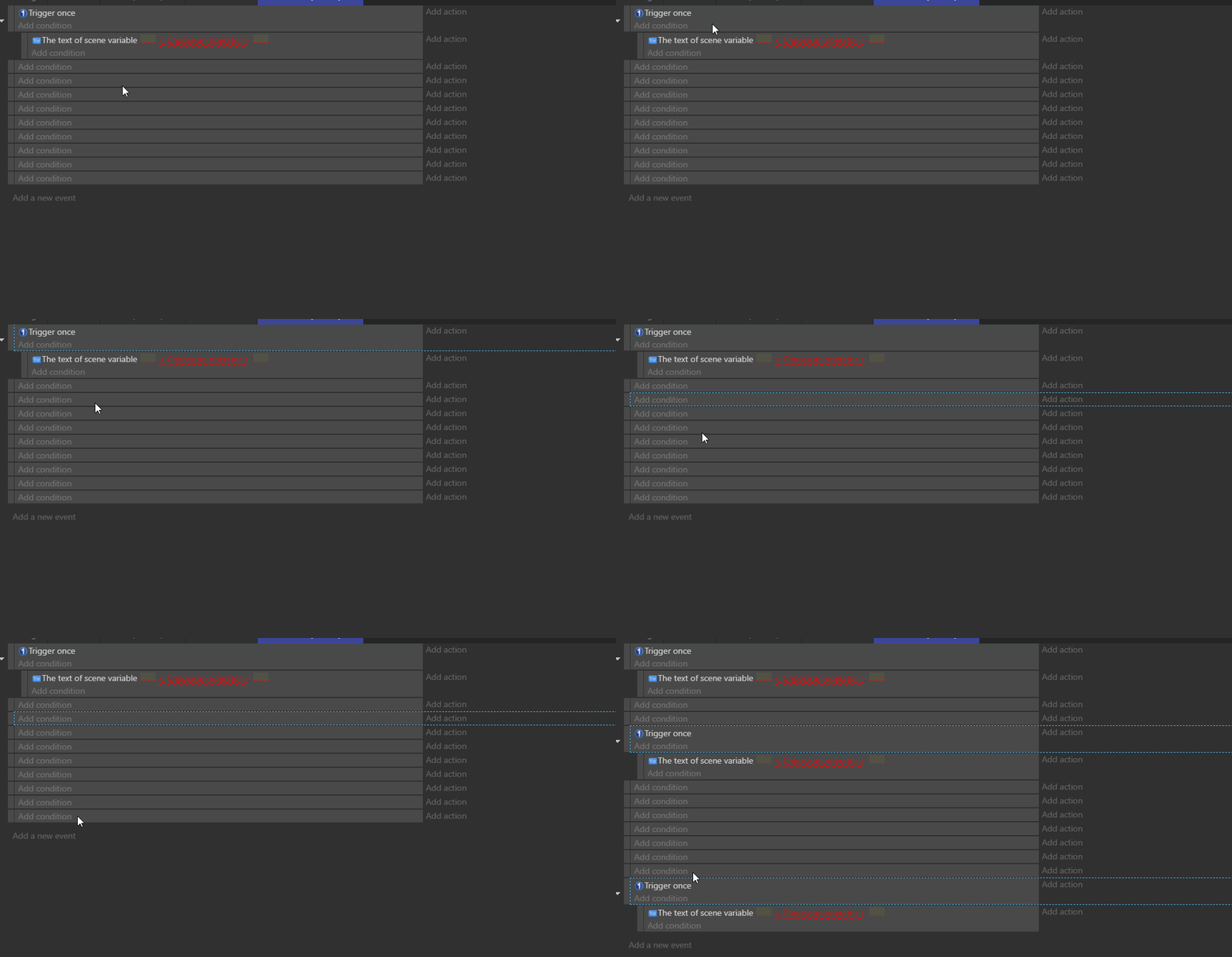
-
Same for actions, simple selection
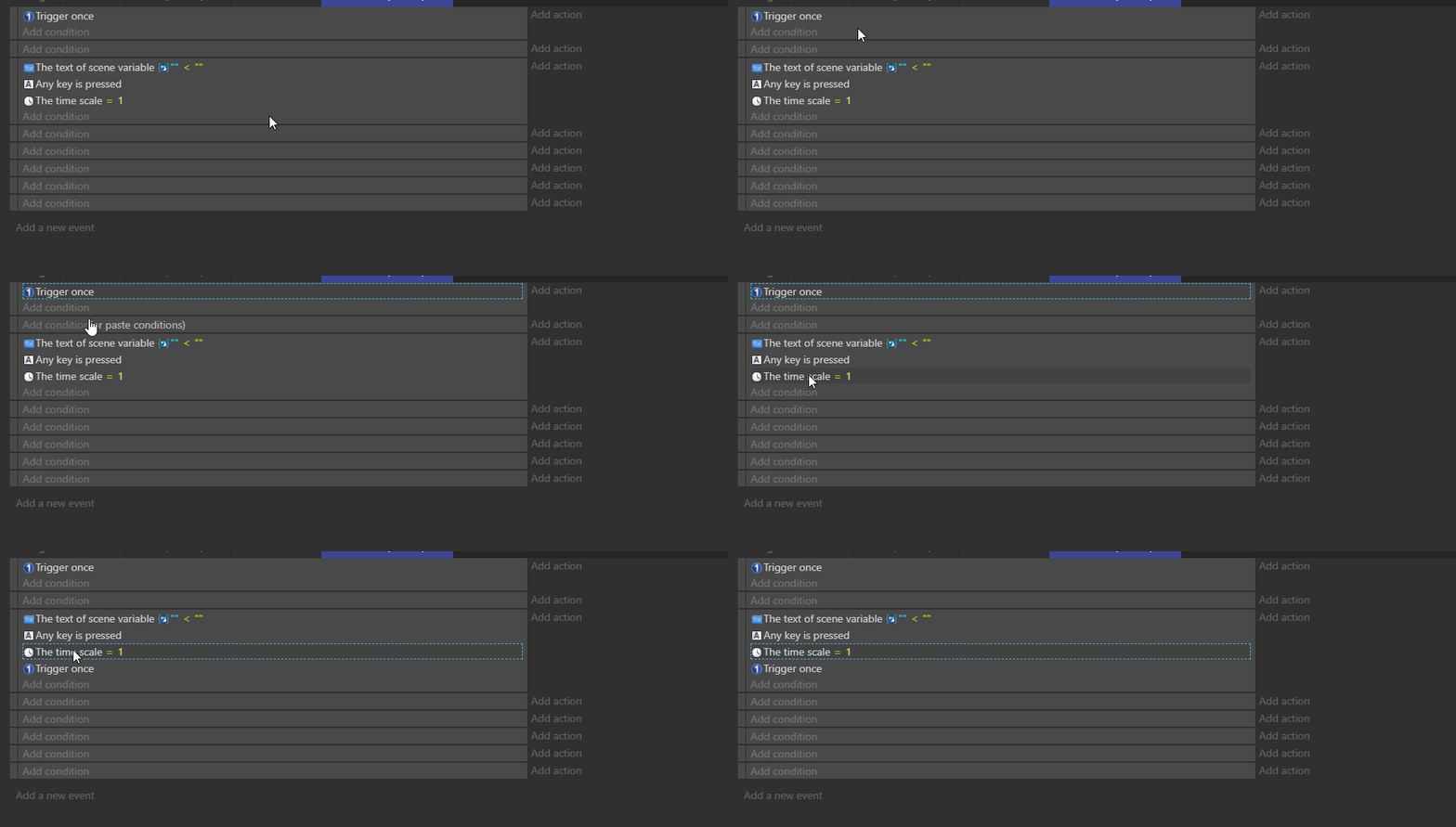
-
Same for actions, multiple selections
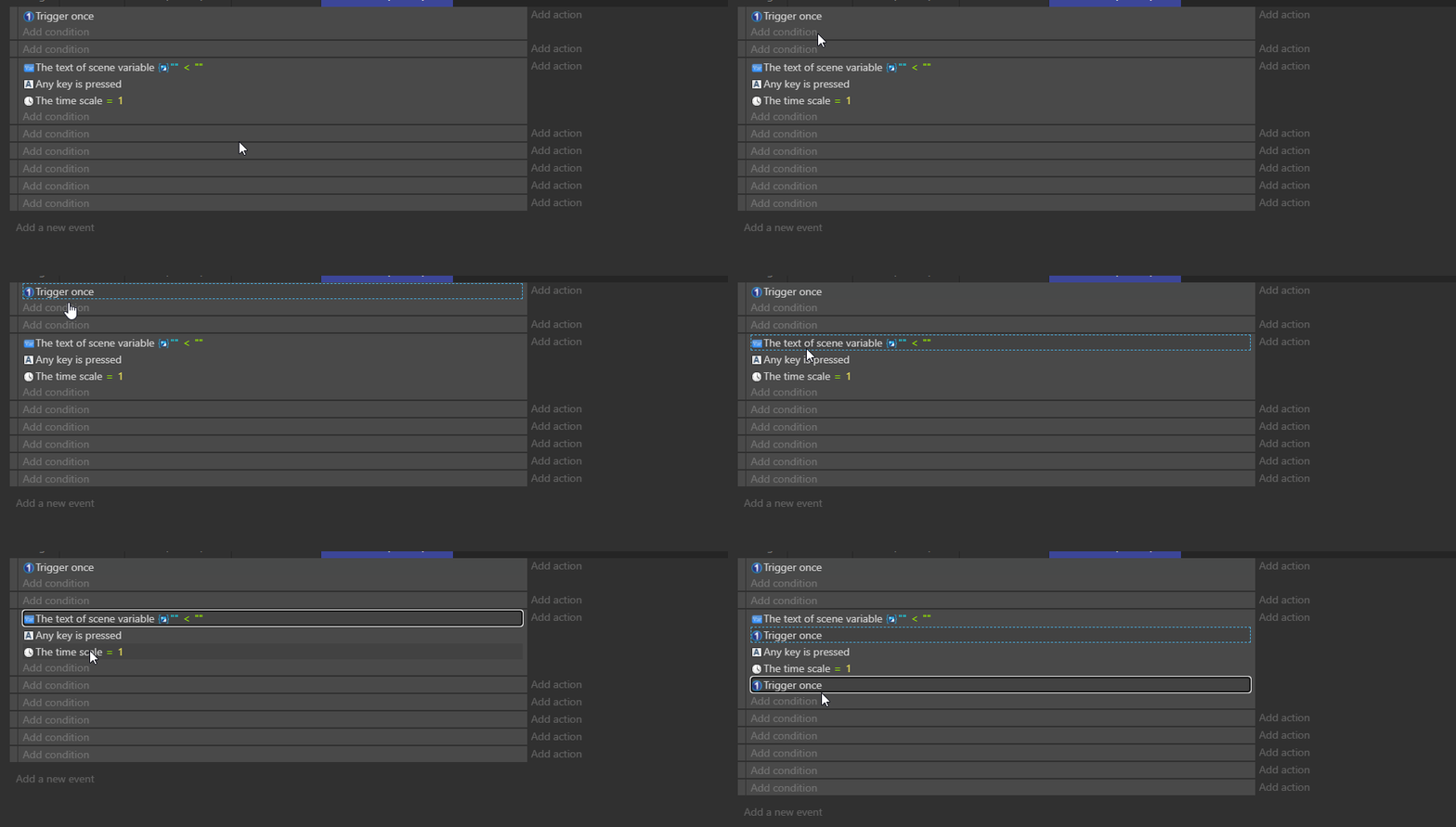
-
Multiple selections with sub-events
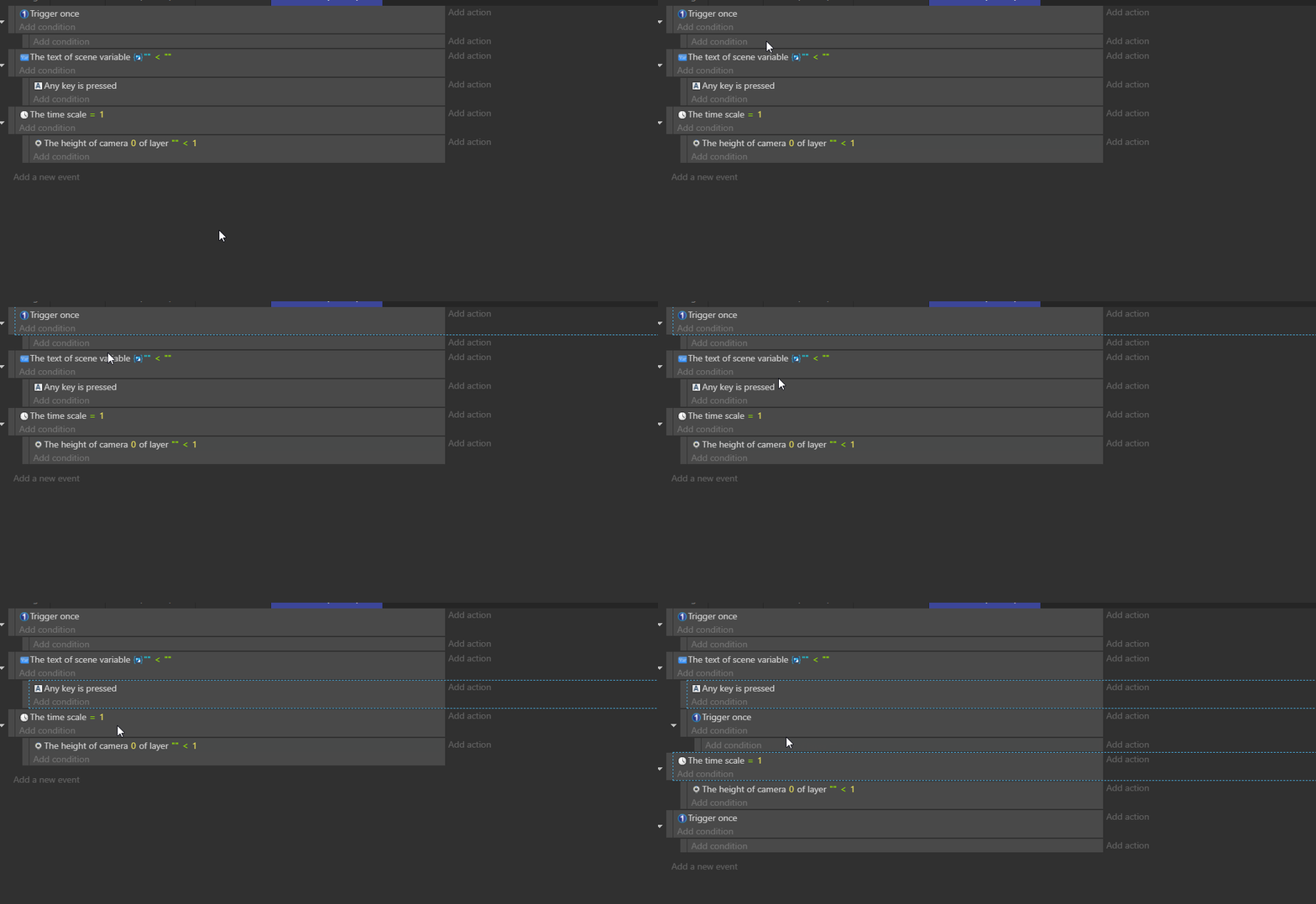
On all these GIF the selection moves from copied elements to pasted elements, but it could be very interesting to keep in selection the copied elements, for fast copy of elements because people abuse a lot of shortcuts and they have totally right! So keep the selection on copied elements allow to paste multiple time the element after the selection.

Just to be clear, is this a feature at all? If yes, we can close this issue?
Just to be clear, is this a feature at all? If yes, we can close this issue?
Even if this is a "feature", it's unusable and not common to use. I'd push for a better copy/paste solution