

 2dom
2dom
P5 HUB75 64x32 matrix - noisy output and wrong colors displayed, chaining not working
Hi everyone,
I have this panel - https://www.aliexpress.com/item/32998526924.html bought from Aliexpress that I can easily control with an Arduino Mega 2560 following the guide on Adafruit and also using their library - https://learn.adafruit.com/32x16-32x32-rgb-led-matrix/connecting-with-jumper-wires / https://github.com/adafruit/RGB-matrix-Panel
It works with their default configuration and examples, but only one 64x32 matrix (no chaining).
I am also able to correctly control it with the default settings in @hzeller´s https://github.com/hzeller/rpi-rgb-led-matrix With that, chaining also works (even with 6 of them).
Now, here are my results with PxMatrix.
1. Post your code The code is probably NOT the issue. I can use it with other LED matrix panels I have (a P4 64x32 for example), but anyway.
#include <PxMatrix.h>

#define P_LAT 22
#define P_A 19
#define P_B 23
#define P_C 18
#define P_D 5
#define P_E 15
#define P_OE 16
hw_timer_t * timer = NULL;
portMUX_TYPE timerMux = portMUX_INITIALIZER_UNLOCKED;

#define matrix_width 64
#define matrix_height 32

// This defines the 'on' time of the display is us. The larger this number,
// the brighter the display. If too large the ESP will crash
uint8_t display_draw_time=70; //30-70 is usually fine

//PxMATRIX display(,16,P_LAT, P_OE,P_A,P_B,P_C);
PxMATRIX display(64,32,P_LAT, P_OE,P_A,P_B,P_C,P_D);
//PxMATRIX display(64,64,P_LAT, P_OE,P_A,P_B,P_C,P_D,P_E);

// Some standard colors
uint16_t myRED = display.color565(255, 0, 0);
uint16_t myGREEN = display.color565(0, 255, 0);
uint16_t myBLUE = display.color565(0, 0, 255);
uint16_t myWHITE = display.color565(255, 255, 255);
uint16_t myYELLOW = display.color565(255, 255, 0);
uint16_t myCYAN = display.color565(0, 255, 255);
uint16_t myMAGENTA = display.color565(255, 0, 255);
uint16_t myBLACK = display.color565(0, 0, 0);

uint16_t myCOLORS[8]={myRED,myGREEN,myBLUE,myWHITE,myYELLOW,myCYAN,myMAGENTA,myBLACK};

void IRAM_ATTR display_updater(){
  // Increment the counter and set the time of ISR
  portENTER_CRITICAL_ISR(&timerMux);
  display.display(display_draw_time);
  portEXIT_CRITICAL_ISR(&timerMux);
}

void display_update_enable(bool is_enable)
{

  if (is_enable)
  {
    timer = timerBegin(0, 80, true);
    timerAttachInterrupt(timer, &display_updater, true);
    timerAlarmWrite(timer, 4000, true);
    timerAlarmEnable(timer);
  }
  else
  {
    timerDetachInterrupt(timer);
    timerAlarmDisable(timer);
  }
}


void setup() {
  display.begin(16);

  display.setScanPattern(LINE);

  //display.setPanelsWidth(2);

  display.clearDisplay();
  display.setTextColor(myCYAN);
  display.setCursor(2,0);
  display.print("abcdefghijklmnop");

  display_update_enable(true);

  delay(5000);

}

unsigned long last_draw=0;
void scroll_text(uint8_t ypos, unsigned long scroll_delay, String text, uint8_t colorR, uint8_t colorG, uint8_t colorB)
{
    uint16_t text_length = text.length();
    display.setTextWrap(false);  // we don't wrap text so it scrolls nicely
    display.setTextSize(1);
    display.setRotation(0);
    display.setTextColor(display.color565(colorR,colorG,colorB));

    // Asuming 5 pixel average character width
    for (int xpos=matrix_width; xpos>-(matrix_width+text_length*5); xpos--)
    {
      display.setTextColor(display.color565(colorR,colorG,colorB));
      display.clearDisplay();
      display.setCursor(xpos,ypos);
      display.println(text);
      delay(scroll_delay);
      yield();

      // This might smooth the transition a bit if we go slow
      // display.setTextColor(display.color565(colorR/4,colorG/4,colorB/4));
      // display.setCursor(xpos-1,ypos);
      // display.println(text);

      delay(scroll_delay/5);
      yield();

    }
}

void loop() {
  scroll_text(1,50,"Welcome to PxMatrix!",96,96,250);
  display.clearDisplay();
}
2. Post a picture of the problem and describe what you expect to see
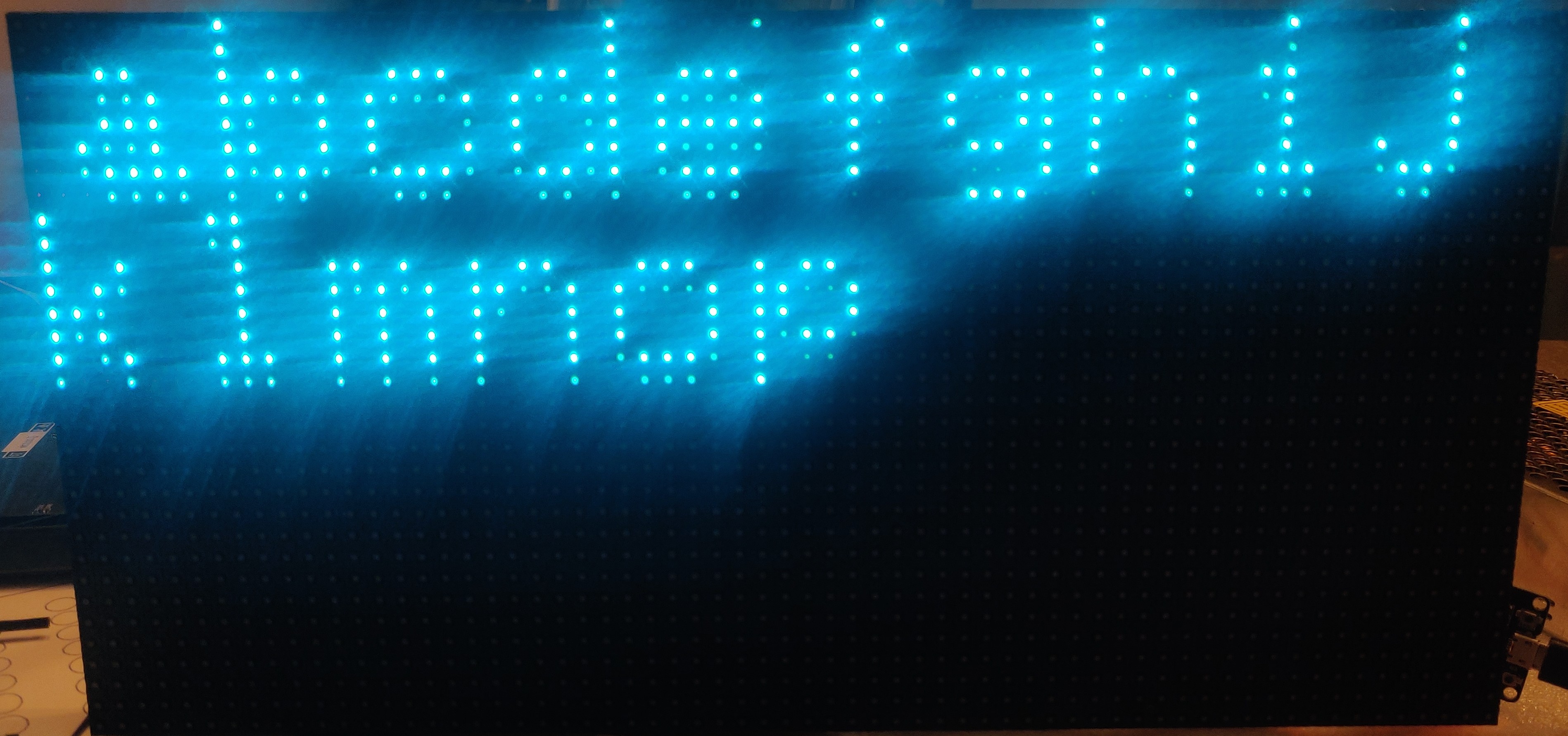
With the code above, I currently see this: (and the scrolling text shows up as white and very noisy).
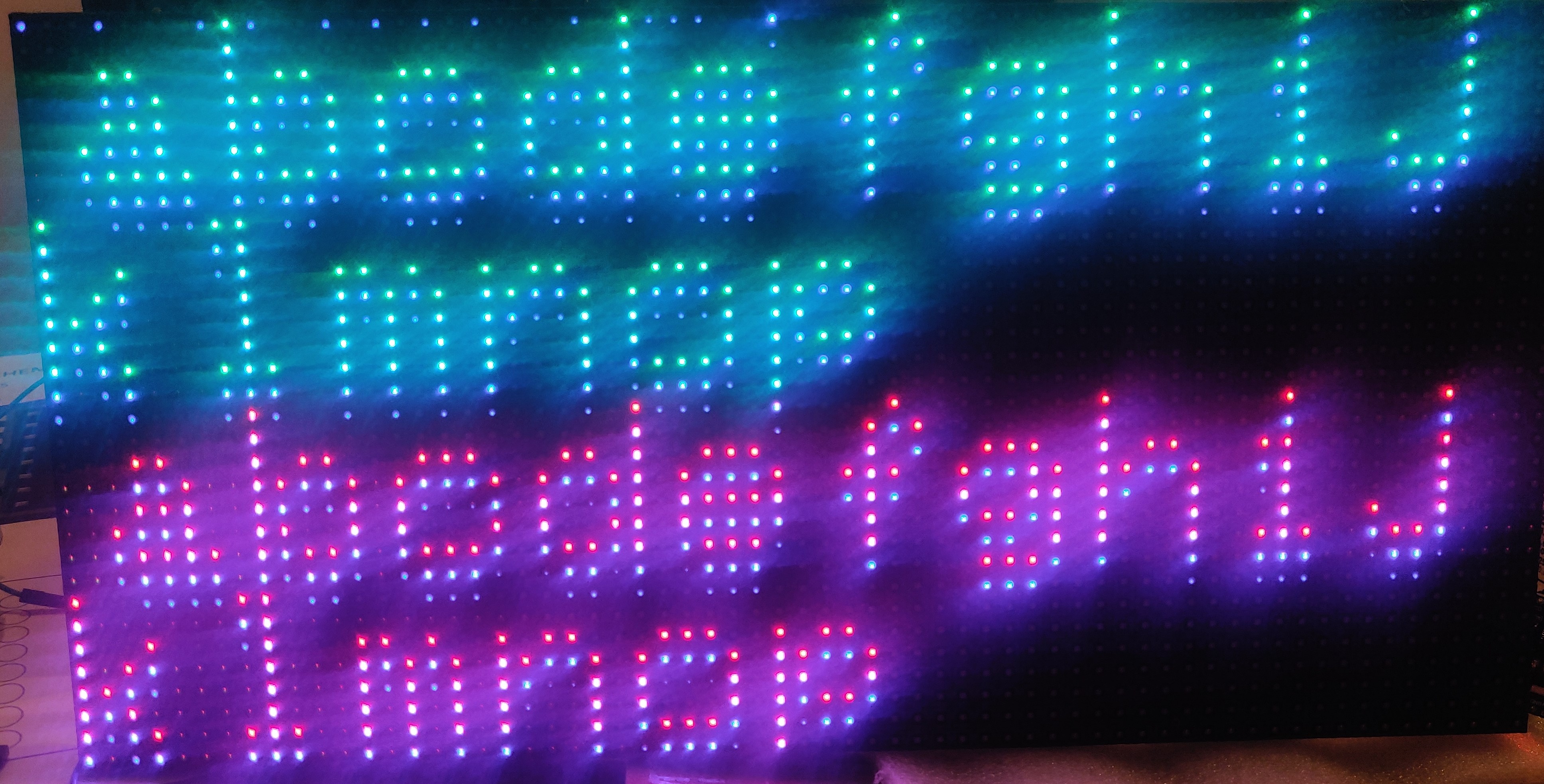
If I uncomment the display.setPanelsWidth(2); and chain another panel (ESP32 to Panel Input of matrix 1, from there to panel output of matrix 2 and a ribbon connecting all pins of panel output 1 to panel input 2), this is the result - still only the first (ESP32 directly connected) panel lights up, and it displays like this:
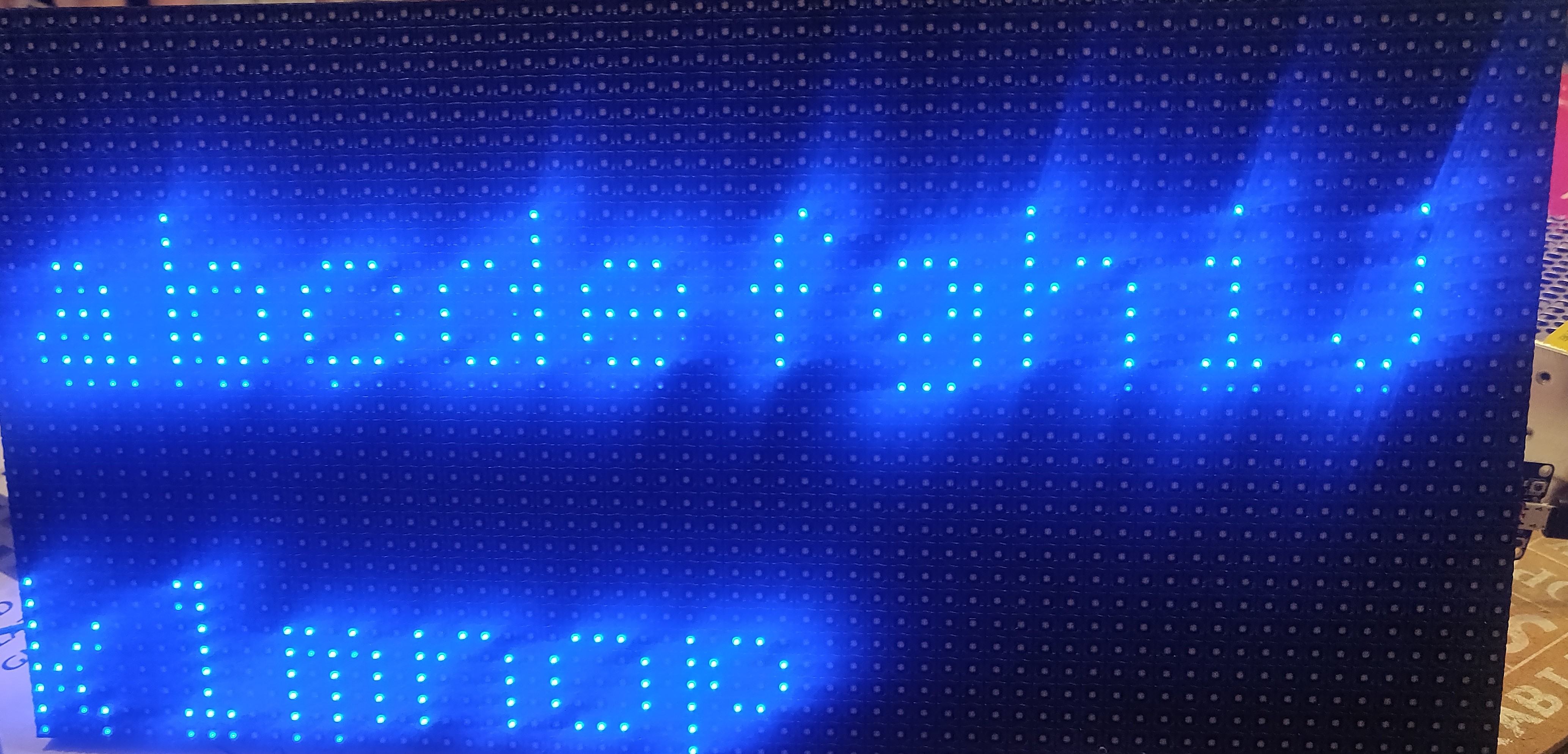
Seller instructions say it is a 1/16 scan module, but I tested to see how it looks with 1/8 just to be sure (no chaining, only one module):
3. Run the pattern test and post the result as gif/video (need to have a bit more than one full RED/YELLOW/WHITE cycle)
1/16 pattern test (it loops after WHITE) - please note that the GIF skips some frames, but the pattern test fully runs, smoothly. Here it also doesn't have the noise issues I get on the pixeltime sketch:
 1/8 pattern test (it stops/locks up after WHITE):
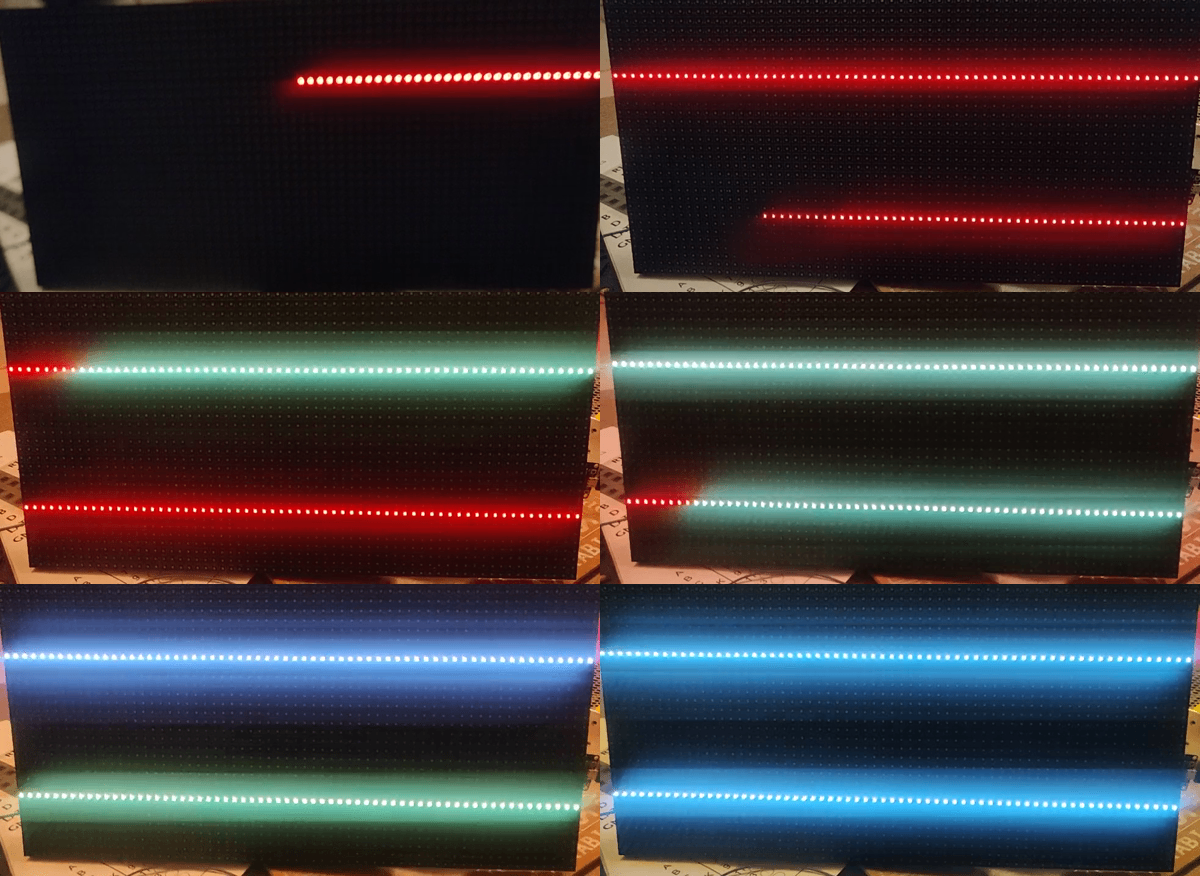
During both tests only one module is connected.
4. State what version of PxMatrix you are running and what MicroController you use Latest PxMatrix with ESP-WROOM-32. The wiring is the standard one from the project homepage, with some of the PI wires hooked up to the PO and the rest to the ESP32 via jumper cables. I have tried swapping out cables, boards, re-setting-up and recompiling everything on ESP8266, the results are the same, can't get it to display correctly.
Any ideas are appreciated. Happy holidays!

Hello! Did you ever get this issue resolved? I have a very similar problem I think. I have a single 1/16 P5 64x32 panel which works fine using an Arduino Mega 2560 following the guide on https://github.com/adafruit/RGB-matrix-Panel. But I want chaining of multiple panels so I have wired it to a D1 mini clone as per instructions on https://github.com/2dom/PxMatrix. The pattern test runs mostly ok but the "pixeltime" test has serious ghosting. AFAIK the wiring is correct. Any ideas?

Hi, the mentioned matrix works properly with another and different wiring - try using this https://github.com/pixelmatix/SmartMatrix
The wiring should be documented as a comment in the corresponding example sketches or you can check out some more details in this project - https://esp32.com/viewtopic.php?f=17&t=3188 or on the library wiki http://docs.pixelmatix.com/SmartMatrix/library.html
You can also check out some discussions on the library forum - https://community.pixelmatix.com/ I got multiple types of non standard panels with the help of folks over there.
Good luck with your project!