

 1j01
1j01
[Improve] show resolution on canvas resizing
Original Paint can visualization image's resolution on canvas resizing, as a user i like it so much. Thanks and best regards.
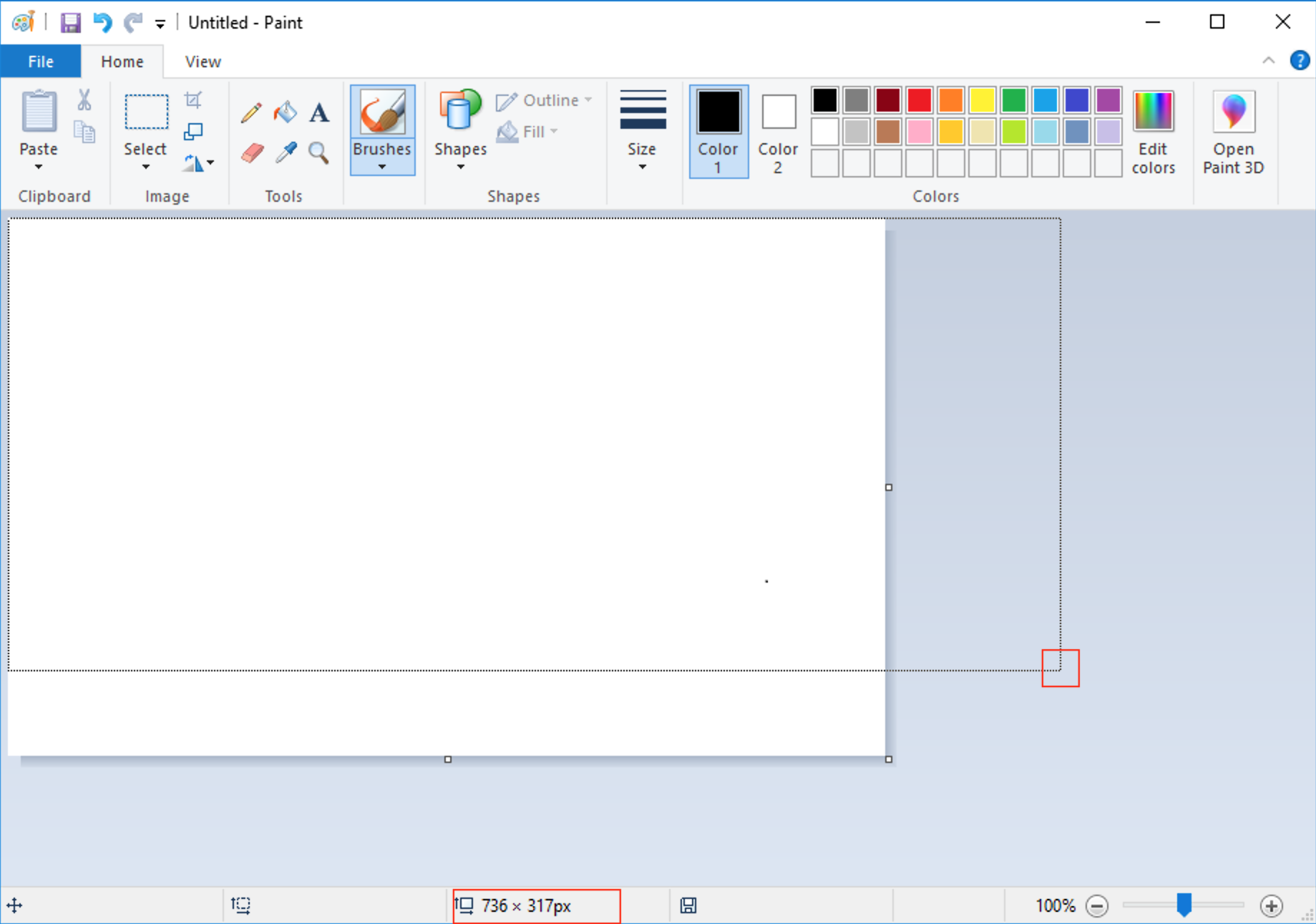

As I can see on original paint we have 5 of this status-text (where the size is appearing) on the status-area, so that would be something to implement too since we have only three. I will work on it but does someone know what exactly each one does? For example: the third is responsible for dimensions, when resizing canvas or drawing a square.

@vitorfhc You should look at Windows 98 Paint if you're going to implement this. It only has two, like jspaint has now. Here's the emulator I've been using.
I've just done some tests and here are my observations:
| OS | |||
|---|---|---|---|
| Win98 | mouse position (frozen when making selection or shape) | selection size (positive) or canvas size (positive) or shape size (can be negative) | |
| Win7 | mouse position (frozen when making selection) | selection size (positive) or shape size (positive) | canvas size |
The mouse position is visible when over canvas, or when dragging a selection, even though it doesn't show the coordinates of the selection, it's still just the mouse. (both Win98 and Win7)
jspaint currently doesn't hide the mouse position coordinates after releasing the selection from dragging it, and shows it as the coordinates of the top left of the selection when making a selection, and it doesn't do the behavior similar to selections for other shapes (because I probably never considered it), and I'm just realizing even the polygon tool is supposed to show the bounding box dimensions, that's pretty neat
But anyways! This issue is just about being able to see the canvas dimensions when resizing. 😄
@1j01 I opened the pull request with only the requested by the issue, the remaining could be put in a new one for organization purposes :smile: