

 10up
10up
Distributor with ACF file field distribution
Describe the bug
Hi, I've read the previous replies regarding this issue. I need your help! I am trying to distribute a custom post type with a "file" type field inside from one external site to another. The distribution happens correctly except for the file which is not distributed, how can I fix this?
I also tried to install the add-on https://github.com/NovemBit/distributor-acf-addon in both sites without any result.
Thank you!
Steps to Reproduce
-
In Site A, push post with file field vs Site B
-
In Site B the post appear with all field except for the file field wich is empty
-
in site B, Pull post from site A
-
In Site B the post appear with all field except for the file field wich is empty
Screenshots, screen recording, code snippet
No response
Environment information
No response
WordPress information
No response
Code of Conduct
- [X] I agree to follow this project's Code of Conduct

Hi @romeowski,
I successfully managed to make ACF of other Meta data work with https://github.com/burovoordeboeg/distributor-meta-data/
It depends on Distributor pushing the attached file itself, so if you upload a file, do that on the post which you want to push, otherwise it won't be copied. Feel free to fork the code to make adjustment, while it's a client plugin which runs "stable" :)

Hi Jaime,
Thank you so much for your message, in this couple of week I think I can test the solution you found, I will write you as soon as I can get some feedback!
Thanks!
Alessandro
Il Mer 27 Lug 2022, 11:47 Jaime Martínez @.***> ha scritto:
Hi @romeowski https://github.com/romeowski,
I successfully managed to make ACF of other Meta data work with https://github.com/burovoordeboeg/distributor-meta-data/
It depends on Distributor pushing the attached file itself, so if you upload a file, do that on the post which you want to push, otherwise it won't be copied. Feel free to fork the code to make adjustment, while it's a client plugin which runs "stable" :)
— Reply to this email directly, view it on GitHub https://github.com/10up/distributor/issues/846#issuecomment-1196508857, or unsubscribe https://github.com/notifications/unsubscribe-auth/AWVP5PIF6NNLJR3HNCH3AWDVWEARVANCNFSM5NZ2BLBA . You are receiving this because you were mentioned.Message ID: @.***>
Hi Jaime!
First of all thanks for you contribute!
I'm not sure how to make your solution work, sorry. I tried to download your folder from git and install it as a plugin inside both external sites (with distributor installed), after that I tried again to push a "Press" article with the ACF "Pdf file" inside but without success.
It basically copies the article, copies the field with a wrong file. Instead of a pdf it distributes a photo home of the media gallery, why do you think? What am I doing wrong?
Thanks!
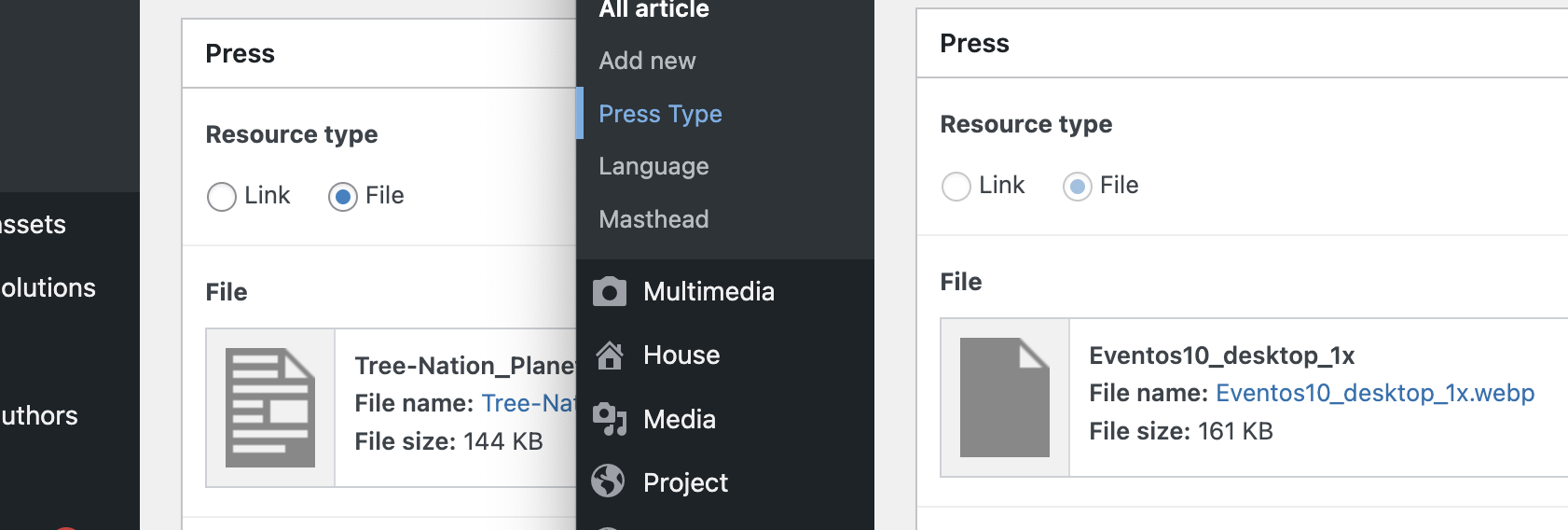

Please download https://github.com/burovoordeboeg/distributor-meta-data/releases/download/0.3.3/distributor-meta-data.zip and install that.
Then define which field_key the add-on need to search for and replace. So for example if your File is named press_type_file then create this filter
add_filter( 'dtmd_post_field_keys', function(){
            return [
                'press_type_file',
        ];
});
This way you're letting the add-on know which field_key to search and replace.
Question: Do you see the file Tree Nation Planet appear in the target subsite's Media Library? Because you need Distributor do the file copying by setting both settings if Distributor to copy all files and not only the featured content.
Hi jaime,
thank you for your support, really appreciate! I followed your instructions, it only worked a couple of times: the post was distributed correctly with the ACF 'file' field image, in both cases of the formats (png or pdf). But after a couple of tests it still didn't work, it would distribute the post without the file (it wouldn't even distribute it within Media)
Did you also encounter this anomaly?
PS: And yes, the 'copy all files and not only the featured content' option is ticked on both sites
Hi Jaime,
does this plugin works with NOT multisite site?
Nope, only with Multisite installation aka Internal Connections https://github.com/burovoordeboeg/distributor-meta-data#requirements Could that be it for you?
And double check if this options is enabled on all sites:
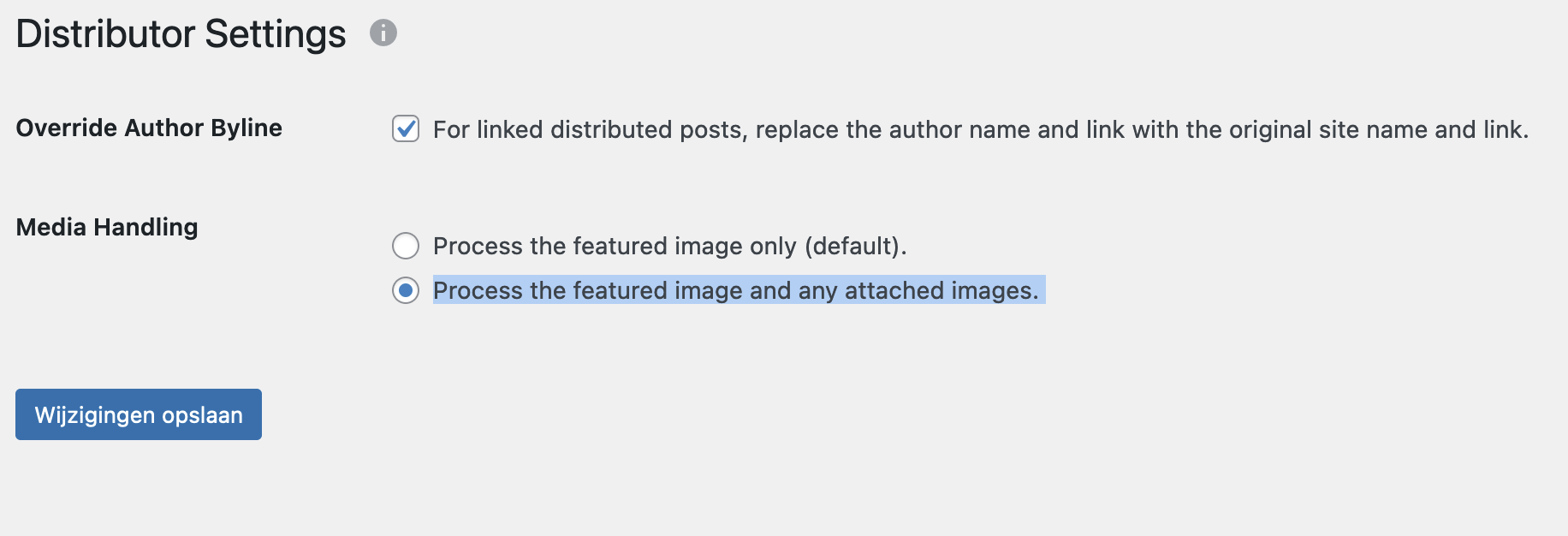
Hi Jaime,
that's why it doesn't work! My two sites are external! Thanks again for the help, please keep me updated if there are any improvements to make your plugin work for external non-multisite sites as well.
Hi Jaime,
that's why it doesn't work! My two sites are external! Thanks again for the help, please keep me updated if there are any improvements to make your plugin work for external non-multisite sites as well.
Ah, sorry to hear that, but also glad to hear, which means it still would work :)
The project I build this for is a multisite only and is finished, so from my/our end, there won't be any extending of the code for external sites. Maybe an other developer might and they could definitly base it on this code.
Kinds regards,
Jaime!
